TICKETING · ISSUE TRACKING · SUPPORT · MAINTENANCE
Ticketing and Issue Tracking for Support, IT and Maintenance Teams
Equipment faults, IT problems, customer complaints and system issues all need the same thing: one record, one owner and a clear status until the problem is confirmed fixed. APPEO NEXUS turns every reported issue into a ticket with a priority, attachments, an assignee and a verified close.
15-day free trial for businesses. No credit card required. Register with a business email on your company's own domain; each domain can be used for one trial, and public addresses such as Gmail, Yahoo, Rediff, AOL, Outlook and Hotmail are not accepted. Trial details
THE PROBLEM
Issues Get Reported Everywhere and Owned by Nobody
A printer fails in accounts, a laptop will not connect in sales, a customer complains about a delayed service visit. Each problem is reported differently: a phone call, a WhatsApp message, a hallway conversation.
Whoever hears about the issue tries to remember it. Some get fixed quickly, some twice by different people, and some never. When the same problem returns a week later, nobody can say what was done the first time.
WHY IT MATTERS
The Cost of Untracked Issues
- The same issue is reported several times through different channels
- Two people fix the same problem while another waits
- Urgent issues are handled in the order they were heard, not by priority
- Reporters keep asking whether anything is happening
- Recurring problems cannot be spotted without a history
- Managers have no view of how many issues are open
HOW APPEO NEXUS HELPS
Report → Assign → Fix → Verify
Every issue follows the same four steps, with an owner at each stage.
- ReportThe issue is logged with a description, the related project or area, who reported it, a priority and photos or a short video.
- AssignAn admin assigns it to the right person, or reassigns it when the first choice is unavailable.
- FixThe assignee starts work, adds remarks, and escalates with a reason if they are blocked.
- VerifyAn admin verifies the fix. If the problem comes back, the issue is reopened with its history.
FEATURE WALKTHROUGH
Ticketing Features in Practice
From the ticket form to the dashboard, these are the screens your team will use.
Structured ticket form
- What it does
- Captures the issue, description, project, reporter, priority and image or video attachments.
- Problem it addresses
- Reports that need several follow-up calls before work can start.
- How you use it
- The person reporting fills in the form in the web app or on Android, and attaches a photo of the fault.
- Why it matters
- The assignee has what they need from the first report.
Assign and reassign
- What it does
- Sends each ticket to one employee and lets admins reassign it.
- Problem it addresses
- Tickets that bounce between people with no clear owner.
- How you use it
- An admin picks the assignee from the team; reassigning keeps the history.
- Why it matters
- One person is accountable at every point.
Status dashboard
- What it does
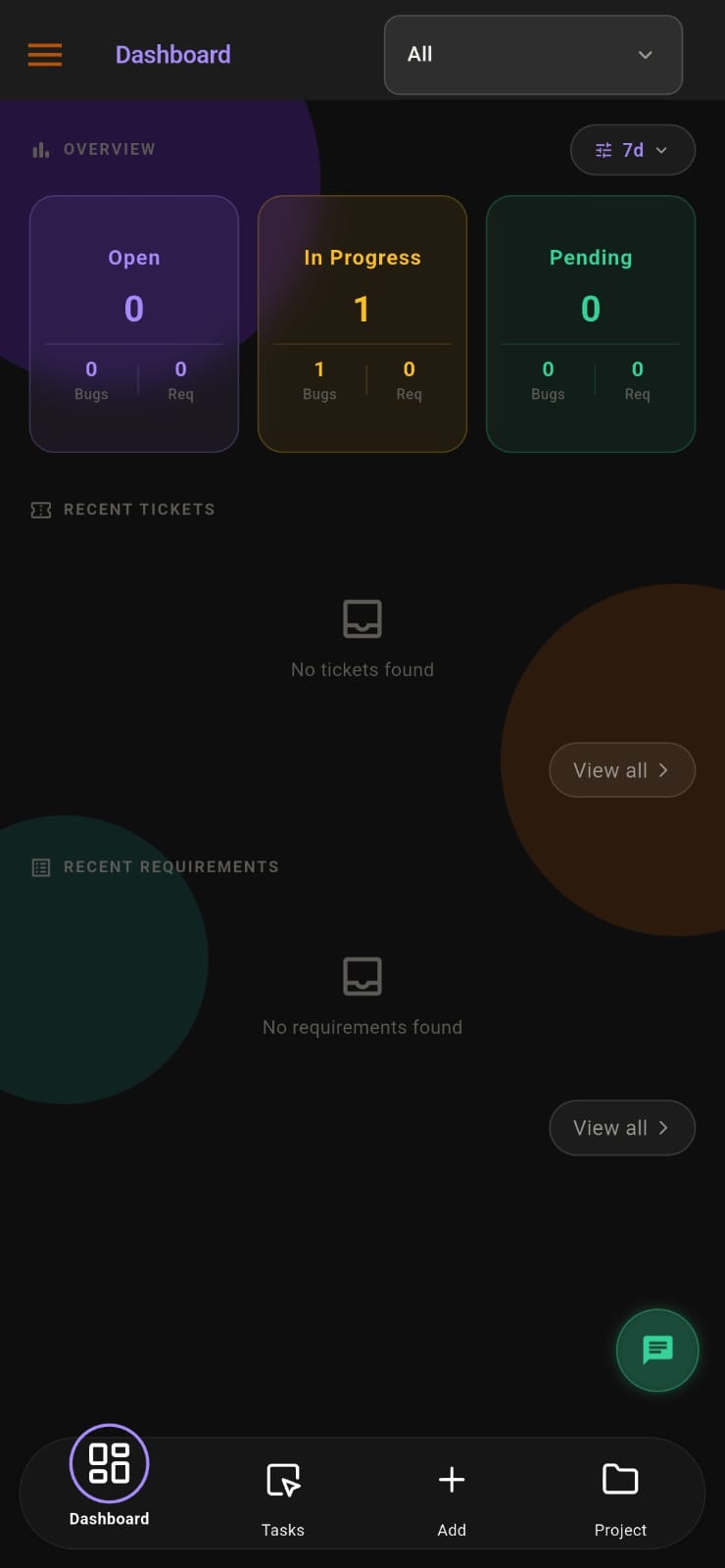
- Shows open, in-progress, pending, completed and reopened tickets, with a status breakdown.
- Problem it addresses
- No overview of how many issues are outstanding.
- How you use it
- Managers open the dashboard, filter by project and period, and review what needs attention.
- Why it matters
- Backlogs are visible before they become complaints.
Search and export
- What it does
- Searches tickets and exports ticket lists.
- Problem it addresses
- Hunting through chats to find a past issue.
- How you use it
- Search for a ticket, or export the list for a review meeting.
- Why it matters
- Past issues and their fixes are easy to find.
Reopen with history
- What it does
- Reopens a ticket when a fixed problem returns.
- Problem it addresses
- Recurring problems treated as new every time.
- How you use it
- The reopened ticket keeps its earlier assignments and remarks.
- Why it matters
- Repeat problems become visible and can be addressed properly.
Notifications
- What it does
- Sends push notifications for assignments, escalations and verified fixes.
- Problem it addresses
- People missing updates on their tickets.
- How you use it
- Employees, admins and clients receive notifications on their phones.
- Why it matters
- Fewer "any update?" messages.
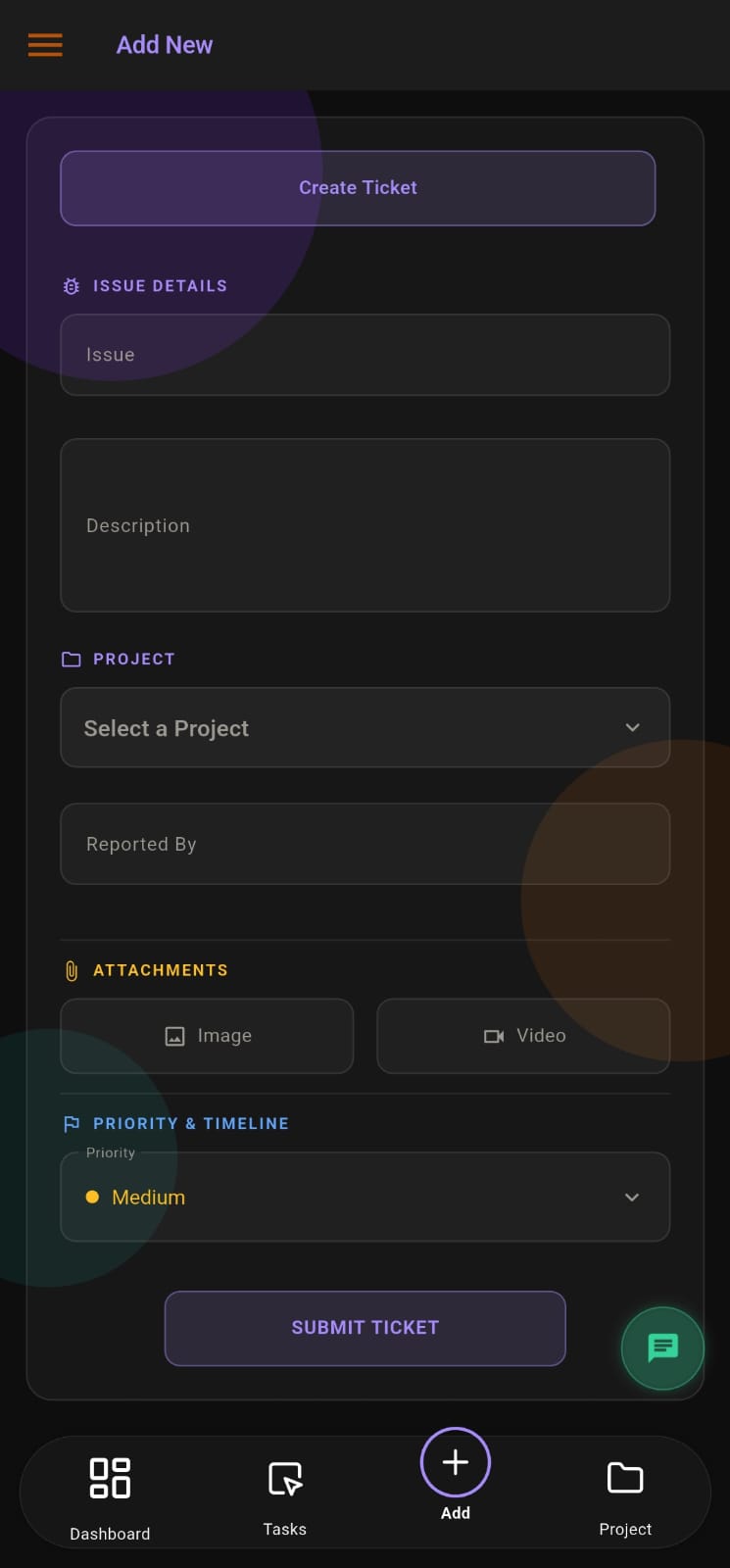
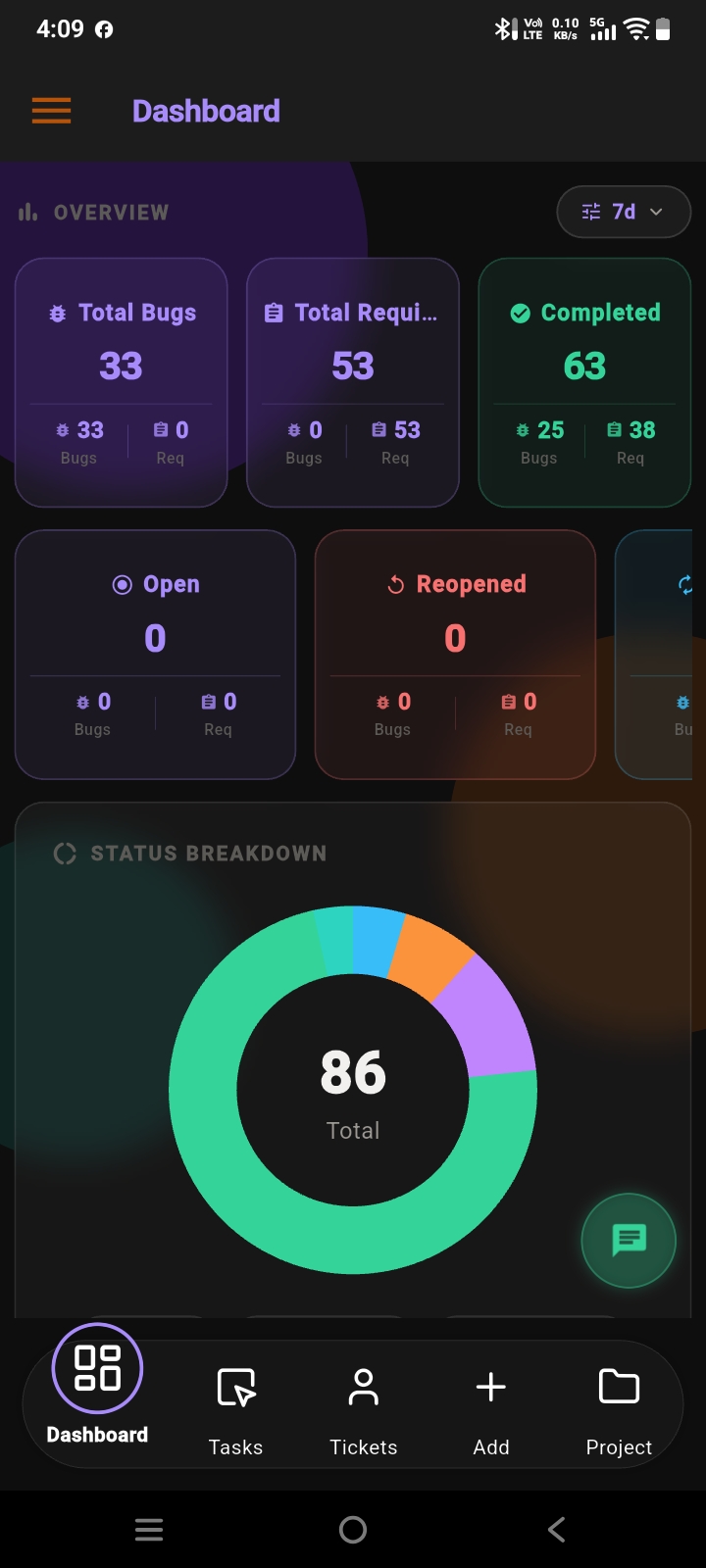
Screens from the APPEO NEXUS app.
ILLUSTRATIVE BUSINESS SCENARIO
An Office Support Team Brings Every Issue Into One List
A two-person office support team looks after IT equipment, meeting rooms and maintenance for 60 employees. Issues used to arrive by phone and chat, and the team kept a whiteboard that was wiped every Friday.
Now each issue is logged as a ticket with a photo and a priority. The team lead assigns tickets each morning, technicians escalate anything that needs a supplier, and the lead verifies fixes before closing them. When the same projector fails again, the reopened ticket shows exactly what was done last time.
This is an illustrative example, not a customer story. No real company, person or result is described.
COMPARISON
Tracked Tickets Compared With Ad-Hoc Reporting
A shared ticket list changes who knows what, and when.
| With APPEO NEXUS | Chats, email and spreadsheets |
|---|
| Where issues are reported | One ticket form, web or Android | Calls, chats and conversations |
|---|
| Priority | Set on every ticket | Whoever shouts loudest |
|---|
| Evidence | Photos and videos attached | Described from memory |
|---|
| Ownership | One assignee; reassignment recorded | Unclear |
|---|
| Closing | Verified by an admin; reopen if needed | Assumed fixed |
|---|
| History | Searchable and exportable | Lost when the chat scrolls away |
|---|
FOR SPECIFIC TEAMS
Ticketing for Software Teams and Client Issues
PLANS
Pricing and Free Trial
Starter: ₹500 per user per month billed annually (₹550 billed monthly), minimum 25 licences, up to 3 projects. Growth: ₹900 billed annually (₹999 billed monthly), minimum 15 licences, up to 5 projects, and adds team chat, meetings, an approval workflow and advanced administrative controls. Enterprise: custom pricing. Every plan is available with a 15-day free trial, and no credit card is required to start. See full pricing.
FAQ
Ticketing and Issue Tracking Questions
Can non-technical teams use APPEO NEXUS for tickets?
Yes. The ticket workflow suits any team that receives and fixes problems, such as office support, maintenance or customer service, not only software teams.
Can photos or videos be attached to a ticket?
Yes. The ticket form accepts image and video attachments, so the person fixing the issue can see the problem.
What happens when a fixed issue comes back?
The ticket can be reopened. It keeps its earlier history, so the next person can see what was tried before.
Can we export our ticket list?
Yes. Ticket lists can be exported, for example for a monthly review.
Is ticketing available on every plan?
Yes. Task, request and ticket generation is included in Starter and Growth, and Enterprise is tailored to your organization.
REQUEST A DEMO
See It With Your Own Workflow
Tell us what kinds of issues your team handles and how they are reported today.
- A walkthrough based on how your team works today
- Plans, licence minimums and project limits explained
- Answers to setup and onboarding questions
Prefer to try it yourself? Start the 15-day free trial with your business email. No credit card required.
START WITH YOUR OWN TEAM
Give Every Issue an Owner and Every Fix a Check.
Log the next ten issues your team receives in APPEO NEXUS and follow each one from report to verified fix.
What happens next: choose a plan and licences, enter your company details, verify your business email, then sign in and set up your first project. No credit card is required for the trial, and each business domain can be used for one trial.