+91 95679 99007 support@appeonix.com WhatsApp Us

SOFTWARE TEAMS · BUGS · REQUIREMENTS

Bug and Requirement Tracking for Software Teams That Work With Clients

APPEO NEXUS began as a bug tracker, and it still shows: bugs and requirements are separate lists, developers start, pause and escalate tasks, admins verify fixes, and clients report and reopen bugs in their own projects. It suits software agencies and product teams that want a focused workflow rather than a large configurable suite.

15-day free trial for businesses. No credit card required. Register with a business email on your company's own domain; each domain can be used for one trial, and public addresses such as Gmail, Yahoo, Rediff, AOL, Outlook and Hotmail are not accepted. Trial details

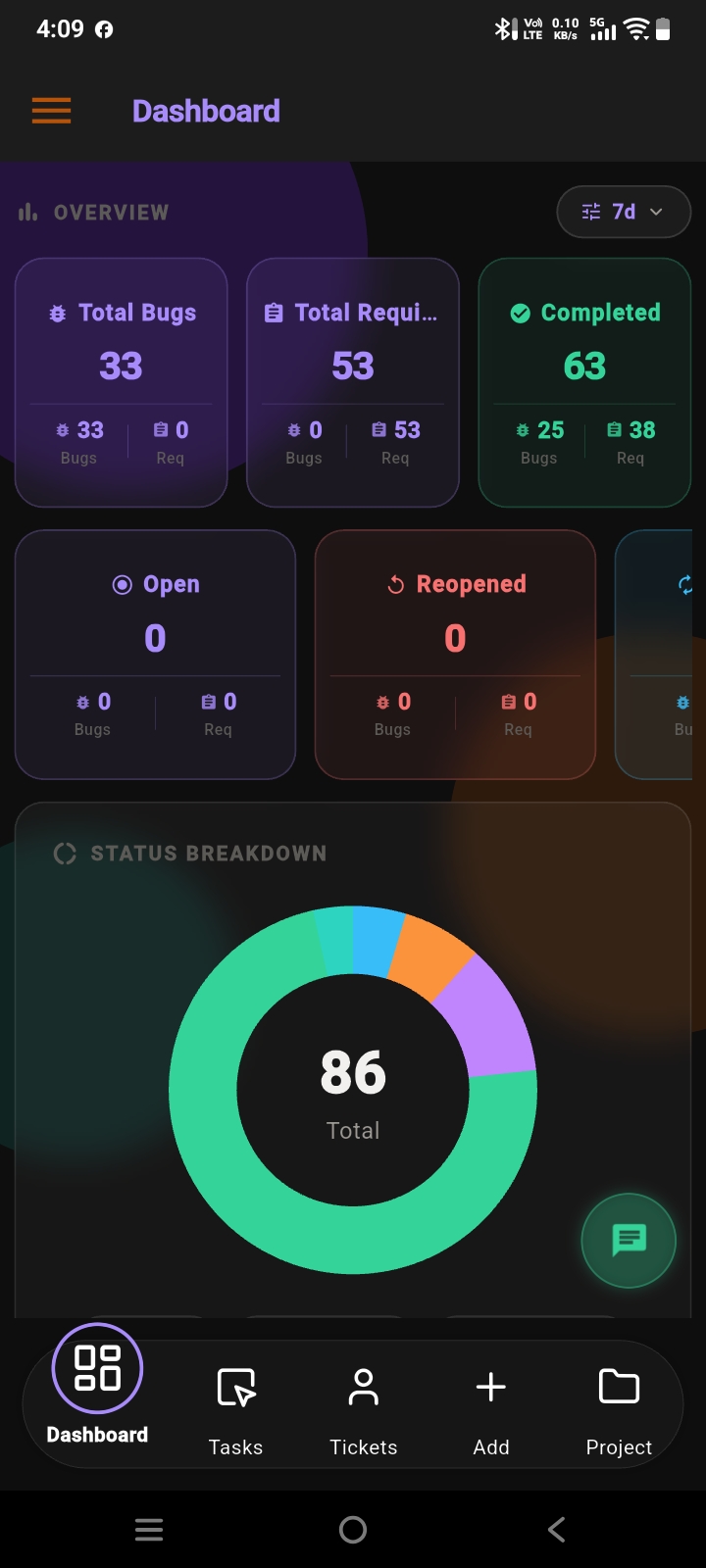
APPEO NEXUS mobile dashboard with totals, completed, open and reopened work and a status breakdown chart
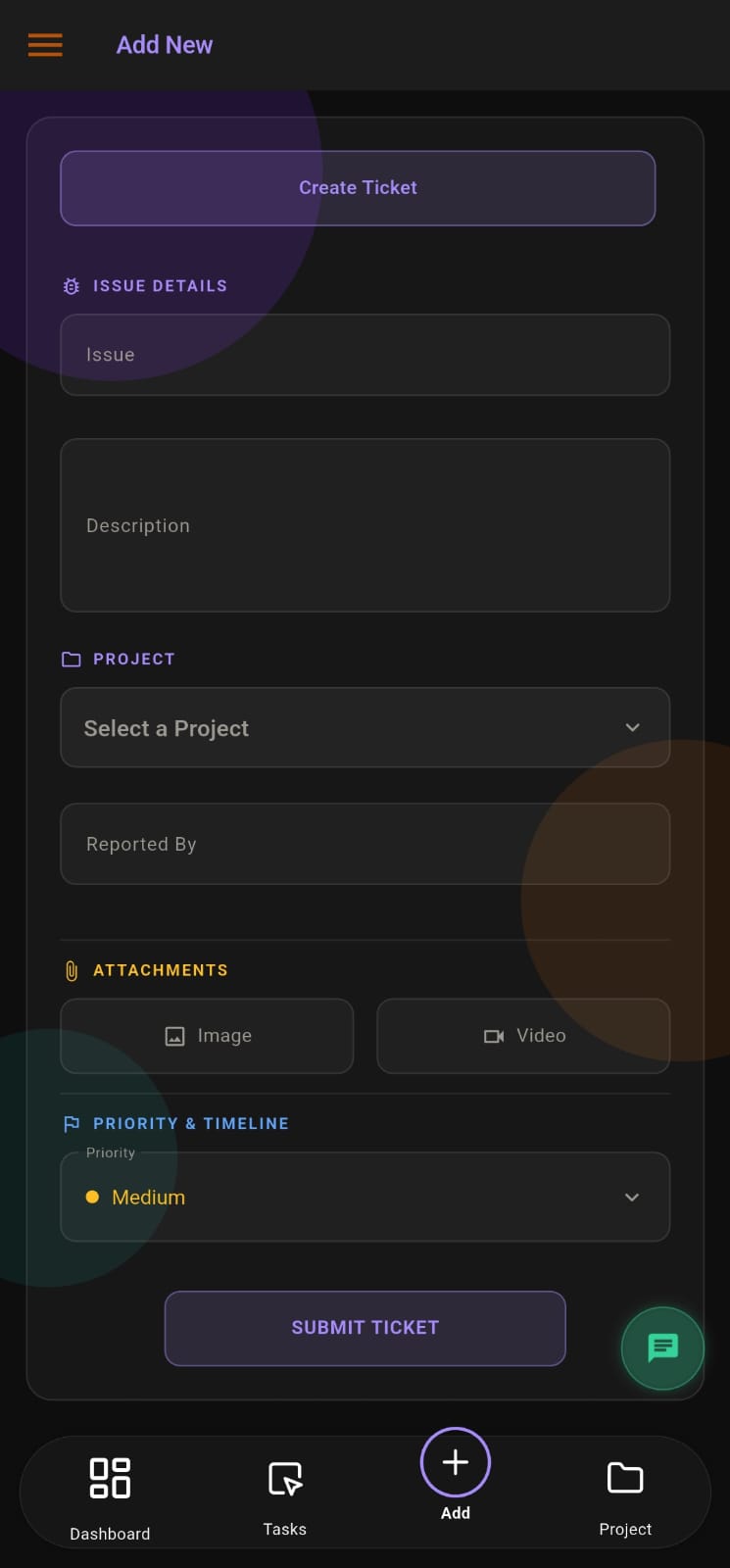
APPEO NEXUS form for creating a ticket with issue details, project, reporter, image or video attachments and priority

THE PROBLEM

Bugs, Change Requests and Questions Arrive in the Same Chat

A client sends a screenshot of an error, a request for a new field and a question about the last release, all in one WhatsApp thread. A tester logs bugs in a spreadsheet. The project manager copies items into a task board when there is time.

Developers work from whatever was mentioned last. Nobody can say which bugs are open for which project, how long fixes are taking or whether the client has seen the fix.

WHY IT MATTERS

Where Unstructured Bug Handling Hurts Delivery

HOW APPEO NEXUS HELPS

Report → Assign → Develop → Verify → Reopen if Needed

The bug lifecycle as implemented in the app.

  1. ReportClients, admins or developers report a bug with project, priority and screenshots or video; requirements are logged separately.
  2. AssignAn admin assigns the bug or requirement to a developer, or reassigns it; requirements can carry an estimate and deadline.
  3. DevelopThe developer starts, pauses and resumes the task, adds remarks, and escalates with a reason when blocked.
  4. Verify or reopenAn admin verifies the fix and the client is notified; if it fails again, the bug is reopened.

FEATURE WALKTHROUGH

Built for the Way Software Teams Handle Bugs

The app's own screens use the labels Bugs, Requirements and Developer.

Separate bug and requirement lists

What it does
Keeps defects and new requests apart, each with its own list, search and export.
Problem it addresses
Scope creep hidden inside bug reports.
How you use it
Log a defect as a bug and a change as a requirement; filter each by project and month.
Why it matters
You can see how much work is fixing versus building.

Developer task timing

What it does
Records start, pause and resume on each task and compares actual time with the estimate.
Problem it addresses
No data on how long fixes really take.
How you use it
Developers start the task when they pick it up; estimates come from the requirement.
Why it matters
Better estimates for the next sprint or quote.

Overtime tasks

What it does
Lists tasks that have run past their estimated time.
Problem it addresses
Overruns discovered at the end of the month.
How you use it
Admins review the overtime list during stand-ups or weekly reviews.
Why it matters
Delays are discussed while they can still be fixed.

Escalation

What it does
Lets developers escalate a task with a reason, sending admins a push notification.
Problem it addresses
Developers stuck silently on unclear requirements.
How you use it
Escalate from the task and explain what is blocking you.
Why it matters
Blockers reach decision-makers quickly.

Task history and attachments

What it does
Keeps the bug's history and its image and video attachments together.
Problem it addresses
Reproductions lost in chat.
How you use it
Open the bug to see who changed what, and the attached recordings.
Why it matters
Anyone picking up the bug has full context.

Client reporting and reopen

What it does
Clients report bugs in their own projects and reopen bugs that fail again.
Problem it addresses
Clients emailing developers directly.
How you use it
The client logs in, reports or reopens; your admin assigns.
Why it matters
One channel for client-reported defects.
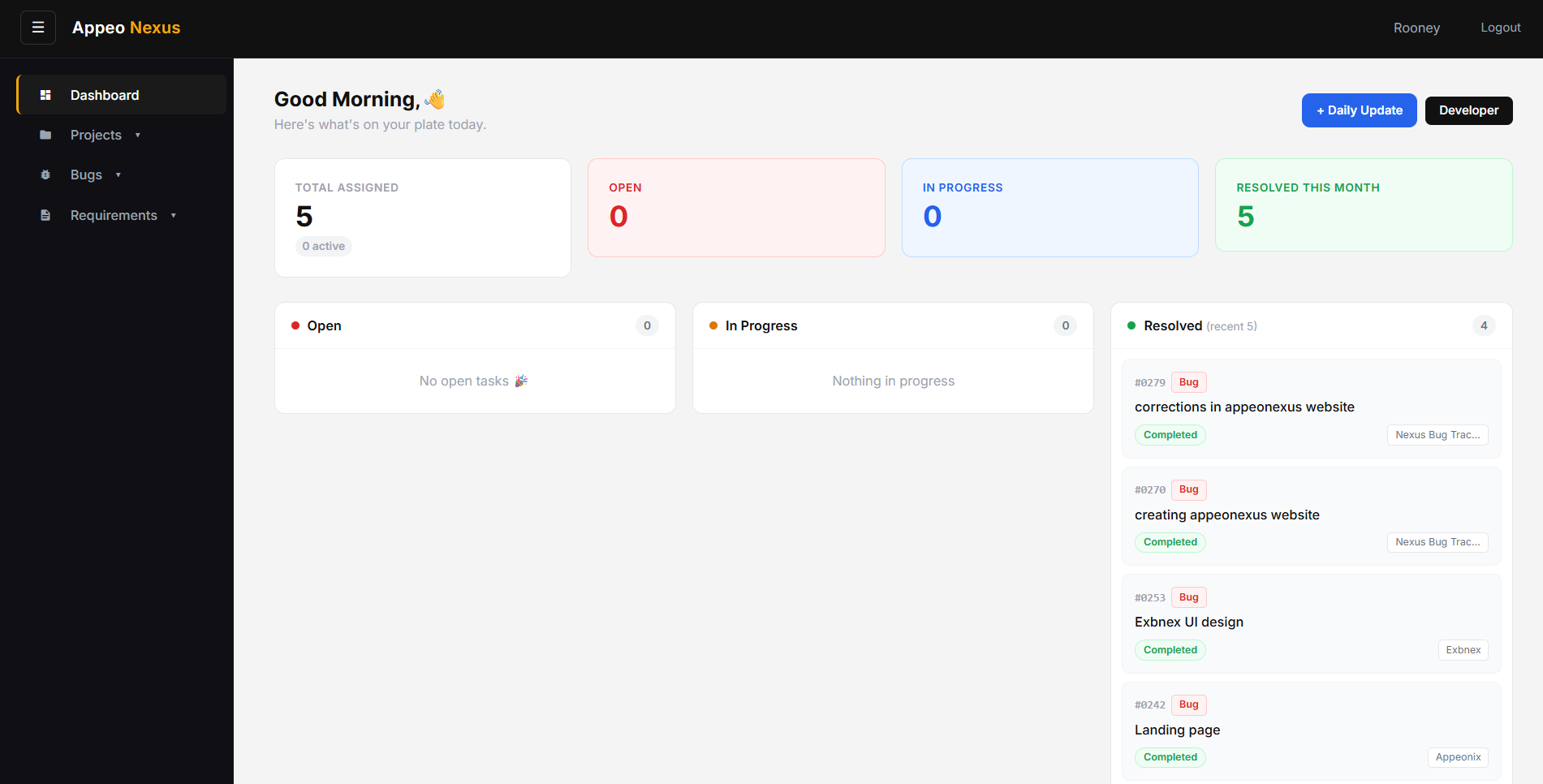
APPEO NEXUS web dashboard showing total assigned, open, in-progress and resolved work with recently resolved tickets

Screens from the APPEO NEXUS app.

ILLUSTRATIVE BUSINESS SCENARIO

A Six-Developer Agency Separates Bugs From Change Requests

A web and app development agency maintains products for several clients. Client feedback used to arrive as long emails mixing bugs and new ideas, and developers estimated fixes from memory.

With APPEO NEXUS, clients report bugs and add requirements in their projects. The project lead assigns bugs to developers and puts estimates on requirements. Developers start and pause tasks as they switch work, escalate unclear requirements, and the lead verifies fixes. The overtime list shows which requirements were underestimated, which helps when quoting the next phase.

This is an illustrative example, not a customer story. No real company, person or result is described.

COMPARISON

APPEO NEXUS Compared With a Full Agile Suite

Many software teams compare APPEO NEXUS with Jira. They suit different teams.

Jira details from atlassian.com, checked October 2026. See the Jira alternative page for more.
APPEO NEXUSJira (from Atlassian's features page)
FocusBugs, requirements, client reporting and verificationAgile planning and configurable workflows for many team types
Sprints and backlogsNot includedBoards, timelines and agile templates
Workflow configurationFixed, built-in statusesCustomizable fields and workflows
ClientsClient role scoped to their own projectsGuests on paid plans; customer portals via Jira Service Management
Time on tasksStart, pause, resume; estimate vs actual; overtime listNot compared here
Attendance and leaveIncludedNot part of Jira

FURTHER READING

More for Software Teams

Our earlier comparison article for software teams looks at ticketing in Jira, ClickUp, Asana and Trello in more depth.

PLANS

Pricing and Free Trial

Starter: ₹500 per user per month billed annually (₹550 billed monthly), minimum 25 licences, up to 3 projects. Growth: ₹900 billed annually (₹999 billed monthly), minimum 15 licences, up to 5 projects, and adds team chat, meetings, an approval workflow and advanced administrative controls. Enterprise: custom pricing. Every plan is available with a 15-day free trial, and no credit card is required to start. See full pricing.

FAQ

Bug Tracking Questions

Are bugs and requirements tracked separately?

Yes. Bugs and requirements have separate lists, each with search, filters and export.

Does APPEO NEXUS support sprints or story points?

No. It does not include sprint planning, backlogs or story points. Teams that rely on those usually prefer Jira or a similar agile tool.

Can developers log how long a fix took?

Yes. Developers start, pause and resume tasks, and the app compares the actual time with the estimate.

Can clients reopen a bug that comes back?

Yes. A client can reopen a bug in their own project, and it returns to your team with its history.

Is there a mobile app for developers?

Yes. The APPEO NEXUS Android app is available on Google Play, and the web app works in any modern browser.

REQUEST A DEMO

See It With Your Own Workflow

Tell us how bugs reach your developers today and which tools you use.

  • A walkthrough based on how your team works today
  • Plans, licence minimums and project limits explained
  • Answers to setup and onboarding questions

Prefer to try it yourself? Start the 15-day free trial with your business email. No credit card required.

START WITH YOUR OWN TEAM

Keep Every Bug, Fix and Client Report in One Place.

Run one client project's bugs and requirements through APPEO NEXUS for 15 days.

What happens next: choose a plan and licences, enter your company details, verify your business email, then sign in and set up your first project. No credit card is required for the trial, and each business domain can be used for one trial.