
+91 95679 99007 support@appeonix.com WhatsApp Us

ADMINISTRATORS · MANAGERS · EMPLOYEES · CLIENTS · ONE WORKSPACE

One Work Management Platform. Connected Roles.

APPEO NEXUS connects administrators, managers, employees and clients through one centralized work management workspace, giving every role the tools and visibility needed to assign work, track progress, manage requests and keep teams aligned.

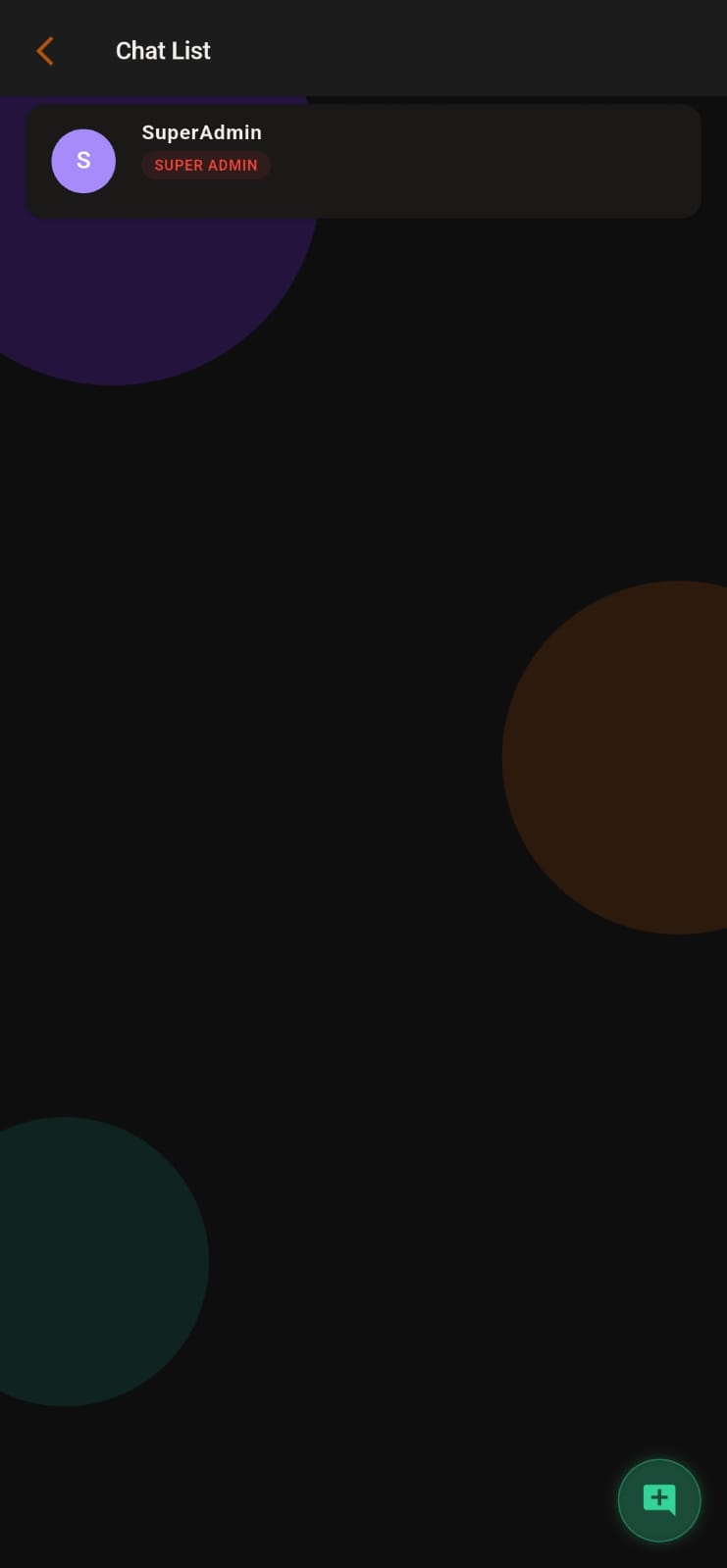
APPEO NEXUS client and team communication screen
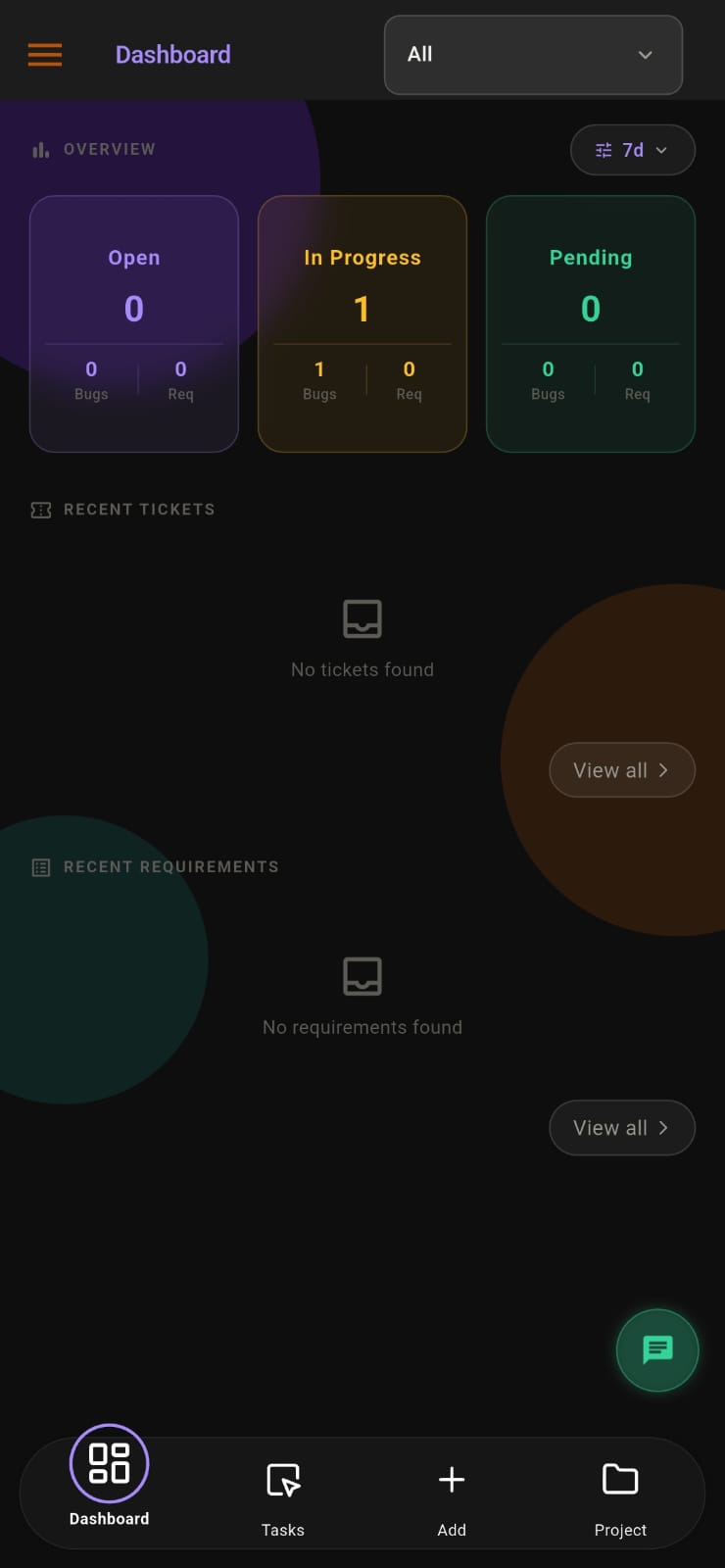
APPEO NEXUS employee task and work management dashboard
01

SUPER ADMIN · ORGANIZATION CONTROL

Control Platform & Organization Administration

The Super Admin oversees the platform, organizations, user access and administrative setup.

  • Manage organizations and business accounts
  • Manage administrators, managers and user access
  • Configure subscription plans and account settings
  • Manage system settings and business configurations
  • Control user roles and permissions
  • Monitor platform usage and activity
  • View organization-wide reports
  • Maintain platform security and access controls
02

ADMIN · TEAM & WORK MANAGEMENT

Manage Teams, Work & Requests

The Admin or Manager manages teams, work assignments, requests and day-to-day business activities while maintaining visibility over execution.

  • Create and manage projects, work areas and teams
  • Manage employees, teams and clients
  • Assign tasks, requests and work items
  • Set priorities and deadlines
  • Monitor task and work progress
  • Generate work, project and activity reports
  • Review and verify completed work
  • Manage workflows, approvals and team coordination
03

EMPLOYEE · ASSIGNED WORK · PROGRESS

Complete Assigned Work & Track Progress

Employees work on assigned tasks, requests and responsibilities, update progress and complete their work within the business workflow.

  • View assigned tasks, requests and work
  • Update task and work status
  • Work on assigned business tasks and requests
  • Complete assigned responsibilities and deliverables
  • Add comments, updates and attachments
  • Mark completed work for review
  • Collaborate with managers and team members
  • Meet assigned deadlines and priorities
04

CLIENT · REQUESTS & COLLABORATION

Submit Requests & Track Work From One Place

Clients can use APPEO NEXUS as a centralized workspace to submit requests, share requirements, follow progress, review completed work and communicate with the business team.

  • Create and submit service or work requests
  • Share requirements and new requests
  • Track request and work progress
  • Review completed work and updates
  • Reopen a reported bug if the problem returns
  • Reopen or update requests when required
  • Communicate with the assigned team

HOW THE ROLES WORK TOGETHER

From Request to Sign-off

01

Client submits

A client creates a request and shares the requirements, with attachments where needed.

02

Manager assigns

An admin or manager adds it to the right project, sets the priority and deadline, and assigns an employee.

03

Employee delivers

The employee updates the status, adds comments and attachments, and marks the work for review.

04

Review and close

An admin or manager verifies the completed work and the client is notified. If a reported bug returns, the client can reopen it.

RESPONSIBILITIES AT A GLANCE

Who Does What

ActivityMain role
Manage organizations, user access, roles and permissionsSuper Admin
Configure subscription plans and account settingsSuper Admin
Create projects, work areas and teamsAdmin / Manager
Assign tasks and requests, set priorities and deadlinesAdmin / Manager
Update status, add comments and attachmentsEmployee
Submit requests and share requirementsClient
Verify completed workAdmin / Manager
Reopen a reported bugClient
Organization-wide reportsSuper Admin
Work, project and activity reportsAdmin / Manager

USER ROLES FAQ

Questions About Roles and Access

Who controls user roles and permissions?

The Super Admin manages administrators, managers and user access, and controls user roles and permissions.

Can a client reopen a bug?

Yes. A client can reopen a bug they reported if the problem returns, and can update their own requirements.

Can employees attach files to their work updates?

Yes. Employees can add comments, updates and attachments to their assigned work.

Is client access included in every plan?

Client interaction is included in the Starter and Growth plans, and Enterprise is set up to suit your organization.

BUSINESS WORK MANAGEMENT WORKFLOW

Managers Assign. Employees Work. Teams Collaborate. Clients Stay Informed.