JIRA ALTERNATIVE · FAIR COMPARISON
A Jira Alternative for Business Teams That Need a Simpler Workflow
Jira is a powerful, highly configurable tool, widely used by software teams. Some businesses find they need less configuration and different things: a client role, verified fixes, attendance and leave alongside tasks. This page compares the two fairly, including when Jira is the better choice.
15-day free trial for businesses. No credit card required. Register with a business email on your company's own domain; each domain can be used for one trial, and public addresses such as Gmail, Yahoo, Rediff, AOL, Outlook and Hotmail are not accepted. Trial details
THE PROBLEM
When the Tool Needs More Setup Than the Work Does
A services company adopts a powerful project tool because developers recommend it. Six months later, only the technical team uses it. Operations staff still assign work on WhatsApp, clients email their requests, and HR tracks leave in a spreadsheet.
The problem is not that the tool is bad; it was built for a different kind of work. Configuring it for every department takes time the business does not have.
WHY IT MATTERS
Signs Your Team Needs a Different Fit
- Only one department uses the tool
- Clients still report issues by email because there is no simple client view
- Admins spend time maintaining workflows and fields
- Non-technical staff avoid the tool
- Attendance and leave live in separate systems
- Licences are paid for people who never log in
If none of these apply and your team relies on sprints, backlogs and integrations, Jira may well be the right choice.
HOW APPEO NEXUS HELPS
How APPEO NEXUS Approaches the Same Work
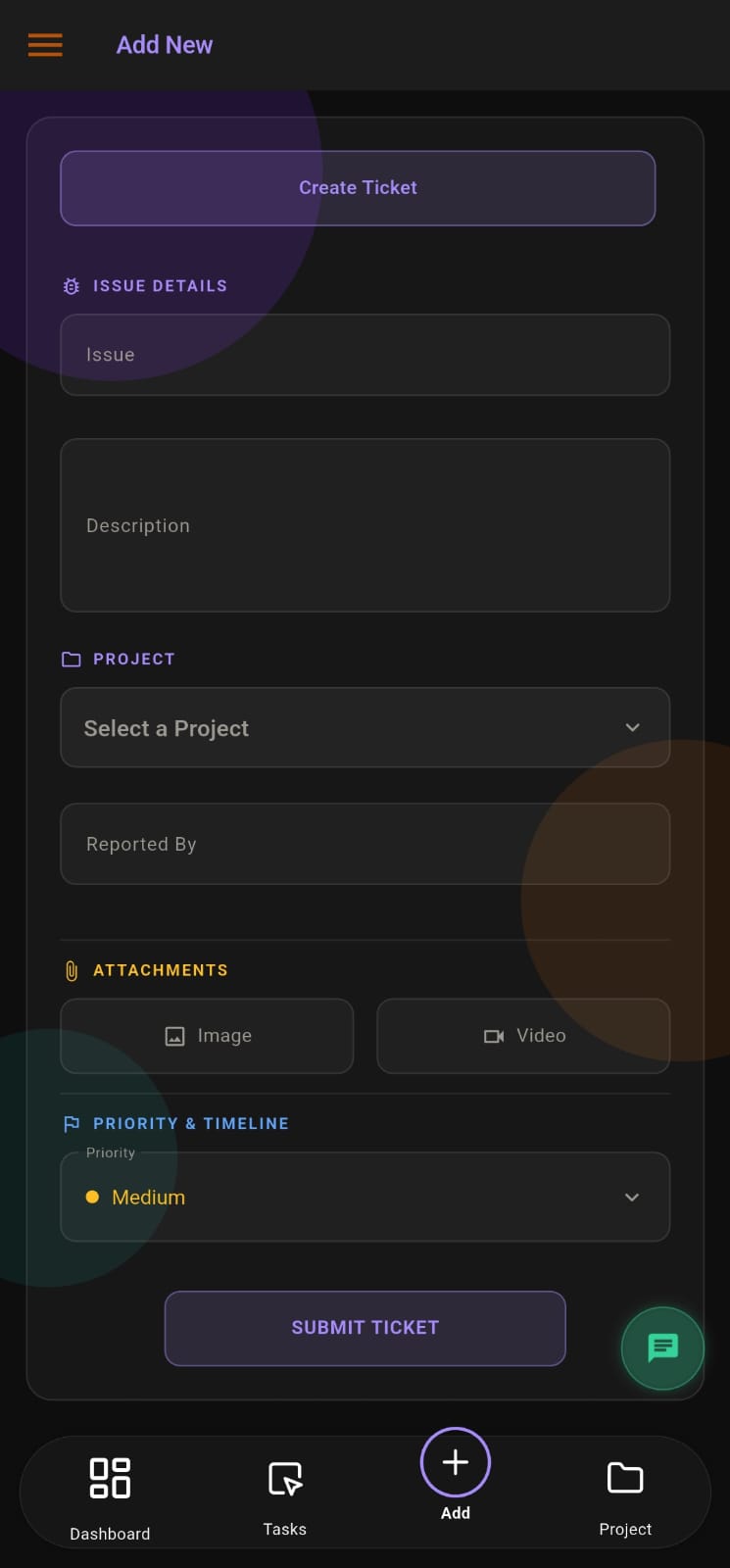
A fixed workflow that business staff and clients can follow without configuration.
- RecordTasks, requirements and bugs are created by admins, employees or clients.
- AssignAdmins assign and reassign work with priorities and estimates.
- TrackEmployees start, pause, escalate and complete tasks; managers watch the dashboard.
- VerifyAdmins verify completed work; clients are notified and can reopen bugs.
FEATURE WALKTHROUGH
Where APPEO NEXUS Differs From Jira
These are APPEO NEXUS features that matter most to teams moving away from a highly configurable suite.
Built-in client role
- What it does
- Clients log in to their own projects to report bugs, add requirements and reopen issues.
- Problem it addresses
- Clients outside the system emailing requests.
- How you use it
- Add the client and link their projects; they log in on web or Android.
- Why it matters
- Client issues enter the same workflow as internal work.
Fixed workflow
- What it does
- Uses the same built-in statuses for every team.
- Problem it addresses
- Workflow schemes that need an administrator.
- How you use it
- No setup: assign, start, escalate, complete and verify.
- Why it matters
- Non-technical staff can use it from day one.
Attendance and leave
- What it does
- Includes mobile attendance with photo and location, leave requests and approvals, and holidays.
- Problem it addresses
- Work and availability tracked in different systems.
- How you use it
- Employees punch in and apply for leave in the same app where they see their tasks.
- Why it matters
- Managers assign work knowing who is available.
Task timing and escalation
- What it does
- Records actual time against estimates and lets employees escalate with a reason.
- Problem it addresses
- Overruns and blockers discovered late.
- How you use it
- Employees start and pause tasks; admins review overtime and escalated items.
- Why it matters
- Delays surface early without extra plugins.
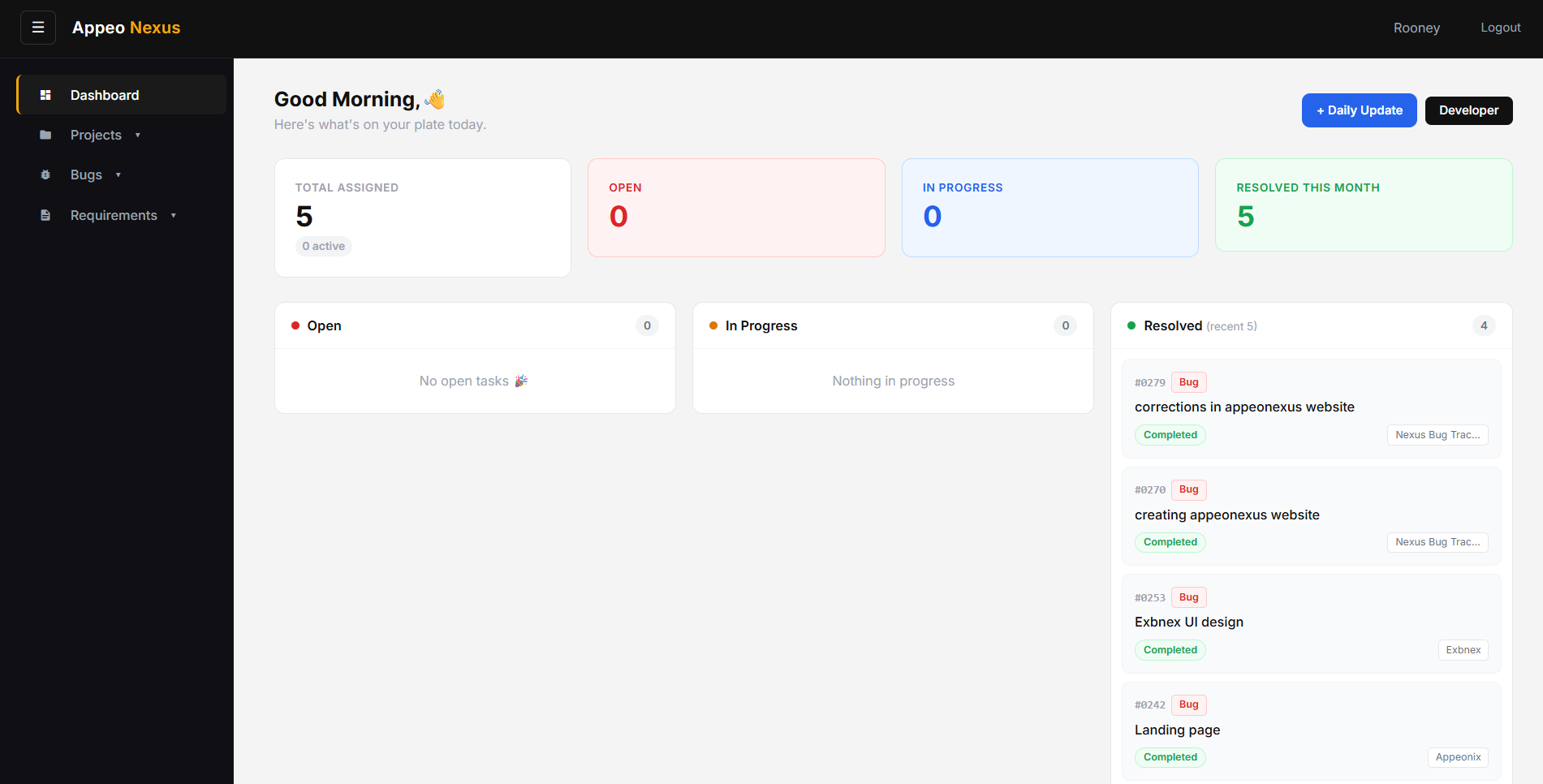
Screens from the APPEO NEXUS app.
ILLUSTRATIVE BUSINESS SCENARIO
A Software Services Firm Splits Its Tooling Decision
A 50-person software services firm uses Jira for its product team, which runs two-week sprints. Its support and implementation team, which handles client issues for 20 customers, struggles to use the same setup.
The firm trials APPEO NEXUS for the support team: each customer gets a client login and project, engineers start and escalate tasks, and admins verify fixes before customers are notified. The product team stays on Jira. The decision is about fit for each team, not replacing one tool everywhere.
This is an illustrative example, not a customer story. No real company, person or result is described.
COMPARISON
APPEO NEXUS vs Jira at a Glance
Jira details come from Atlassian's own pricing and features pages.
Jira pricing checked 17 October 2026; features checked 18 October 2026.
| Criteria | APPEO NEXUS | Jira |
|---|
| Primary focus | Business tasks, requests and tickets, with a client role | Project and work tracking for software and other teams, with agile planning |
|---|
| Free option | No free plan; 15-day free trial, no credit card required | Free plan for up to 10 users |
|---|
| Workflow | Fixed, built-in statuses; no custom workflow designer | Customizable fields and workflows; boards, lists, timeline and calendar views |
|---|
| Automation | Notifications only; no rule builder | Automation included, with monthly limits by plan |
|---|
| External users | Client role limited to the client's own projects | Free guest access on Standard, Premium and Enterprise |
|---|
| Service desk portal | Clients report inside their projects | Separate product: Jira Service Management |
|---|
| Agile planning | No sprints or backlogs | Agile templates, burndown and cycle-time reports |
|---|
| Integrations | Not offered | Atlassian Marketplace |
|---|
| AI | Not offered | Rovo AI |
|---|
| Attendance and leave | Attendance (mobile punch-in with photo and location) and leave approvals included | Not part of Jira |
|---|
WHEN JIRA IS THE BETTER CHOICE
Choose Jira If…
- Your developers run sprints, backlogs and releases
- You need custom workflows, fields and automation rules
- You rely on Marketplace integrations or other Atlassian tools
- You want a free plan for a team of up to 10
- You need a full service desk with a customer portal (Jira Service Management)
- You need AI features
SOURCES
Information Checked
Checked on the vendor's official pages: Jira pricing, Jira features, Jira Service Management. Pricing pages checked 17 October 2026; feature pages checked 18 October 2026. APPEO NEXUS details come from our pricing page and the product itself. Vendors change plans often, so confirm current details before buying. Product names are trademarks of their owners; this page is not endorsed by them.
For a deeper look at software ticketing, read our earlier comparison article.
PLANS
Pricing and Free Trial
Starter: ₹500 per user per month billed annually (₹550 billed monthly), minimum 25 licences, up to 3 projects. Growth: ₹900 billed annually (₹999 billed monthly), minimum 15 licences, up to 5 projects, and adds team chat, meetings, an approval workflow and advanced administrative controls. Enterprise: custom pricing. Every plan is available with a 15-day free trial, and no credit card is required to start. See full pricing.
FAQ
Jira Alternative Questions
Is APPEO NEXUS a full replacement for Jira?
Not for every team. It covers tasks, bugs, requirements, client issues, attendance and leave, but it has no sprints, backlogs, custom workflows or Marketplace integrations.
Does Jira have a free plan?
Yes. According to Atlassian's pricing page (checked 17 October 2026), Jira is free for up to 10 users. APPEO NEXUS has a 15-day free trial instead of a free plan.
Can clients use APPEO NEXUS without a Jira Service Management licence?
APPEO NEXUS includes a client role: clients log in to their own projects to report bugs, add requirements and reopen issues.
Can we use both tools?
Yes. Some businesses keep Jira for product development and use APPEO NEXUS for operations, support or client-facing work.
Can we import our Jira issues?
An import tool is not part of the published product. Please ask us during a demo about moving existing data.
REQUEST A DEMO
See It With Your Own Workflow
Tell us which teams use Jira today and what is not working for the others.
- A walkthrough based on how your team works today
- Plans, licence minimums and project limits explained
- Answers to setup and onboarding questions
Prefer to try it yourself? Start the 15-day free trial with your business email. No credit card required.
START WITH YOUR OWN TEAM
Choose the Tool That Fits the Team.
Trial APPEO NEXUS with the team that struggles most with your current setup, and compare with real work.
What happens next: choose a plan and licences, enter your company details, verify your business email, then sign in and set up your first project. No credit card is required for the trial, and each business domain can be used for one trial.