MONDAY.COM ALTERNATIVE · HONEST COMPARISON
A monday.com Alternative for Service Teams That Need Client Logins, Attendance and Leave
monday.com is a flexible work platform built around boards, views and automations. Indian service teams sometimes find they are paying for that flexibility while still running attendance, leave and client requests somewhere else. APPEO NEXUS takes a narrower approach. It gives you client logins for bug and requirement reporting, Android punch-in with photo and GPS, leave approvals and daily logs in one app, with rupee pricing. This page sets out where each tool fits, including what APPEO NEXUS does not do.
15-day free trial for businesses. No credit card required. Register with a business email on your company's own domain; each domain can be used for one trial, and public addresses such as Gmail, Yahoo, Rediff, AOL, Outlook and Hotmail are not accepted. Trial details
THE PROBLEM
Why Service Teams Start Looking Beyond monday.com Boards
A board-based workspace works well when the people doing the work sit at a desk and like shaping their own columns, groups and views. Many Indian service businesses don't work that way: think IT support firms, software agencies, maintenance contractors and facilities teams. Their staff are on client sites. Their clients want to report problems directly. Their managers also need to know who punched in, who is on leave and what each person did that day.
When those needs sit outside the work tool, the business ends up paying for a flexible platform and also running an attendance app, a leave spreadsheet and a WhatsApp group for client complaints. Seat pricing adds a separate frustration. monday.com sells paid plans from 3 seats in fixed bundles, so a team that grows by one or two people can end up paying for seats nobody uses.
WHY IT MATTERS
What Splitting Work, Attendance and Client Requests Costs a Service Team
- Client issues arrive by phone and chat, and someone has to re-type them into a board before work can start
- Clients cannot see the status of what they reported without asking a manager
- Attendance and leave live in a separate app, so a manager assigning urgent work cannot see who is actually available
- Field staff have to update a board on a phone, which feels heavy, so they send updates by message instead
- Seat bundles mean paying for spare seats until the team grows into them
- Daily progress is collected in calls because there is no simple daily log
If your team relies on custom boards, dashboards and automations every day, monday.com may still be the right tool. APPEO NEXUS suits teams whose main need is a fixed, simple workflow joined to people management.
HOW APPEO NEXUS HELPS
How Client Requests and Staff Attendance Flow Through APPEO NEXUS
Instead of designing boards, you set up clients, projects and people. The workflow itself is built in.
- Client reportsA client logs in to their own projects only and reports a bug or adds a requirement, with image or video attachments.
- Admin assignsAn admin assigns the item to an employee with a priority. High-priority requirements also get a deadline and an estimated time.
- Employee works on siteThe employee punches in on the Android app with photo and GPS location, then starts, pauses or escalates the task and adds remarks.
- Verify and closeThe employee completes the work and an admin verifies it. If the problem returns, the client can reopen the bug.
FEATURE WALKTHROUGH
APPEO NEXUS Features a monday.com User Will Notice First
These features come with the product rather than being built from boards and columns. All notifications are push notifications on the app; there are no email notifications.
Client role scoped to their own projects
- What it does
- Gives each client a login that shows only the projects linked to them.
- Problem it addresses
- Client requests arriving by phone, email and chat, with no shared record.
- How you use it
- Link a project to the client, share their login, and they report bugs, add requirements, export their items and view their meetings.
- Why it matters
- External requests follow the same workflow as internal work, without exposing other clients' data.
Mobile punch-in with photo and GPS
- What it does
- Records attendance from the Android app with a photo, the address and the GPS location, and lets admins export it.
- Problem it addresses
- Attendance kept in a separate tool from task assignment.
- How you use it
- Employees punch in and out on their phones; admins review and export the records.
- Why it matters
- Managers see who is working before they assign urgent jobs.
Leave, holidays and approvals
- What it does
- Lets you set leave types and holidays; employees apply and admins approve or reject.
- Problem it addresses
- Leave requests handled over chat or in spreadsheets.
- How you use it
- Staff apply in the app and admins decide from the same screen they use to assign work.
- Why it matters
- Planned absences are visible next to the workload.
Daily logs and task remarks
- What it does
- Employees record a daily update and add remarks on each task.
- Problem it addresses
- Status calls held only to find out what people did.
- How you use it
- Staff write a short log at the end of the day; admins read the logs in one list.
- Why it matters
- Progress is recorded without extra meetings.
Escalation with push alerts
- What it does
- Lets an employee escalate a blocked task with a reason, which sends every admin a push notification.
- Problem it addresses
- Blocked work nobody hears about until a client complains.
- How you use it
- The employee taps escalate and types the reason.
- Why it matters
- Problems reach a decision-maker while there is still time to fix them.
Estimated versus actual time
- What it does
- Compares the time a task took with its estimate and lists tasks that ran over.
- Problem it addresses
- No view of which jobs take longer than quoted.
- How you use it
- Set an estimate when assigning; time is recorded as the employee starts and pauses the task.
- Why it matters
- You can see where quotes or staffing need adjusting. Note that this is not a timesheet or invoicing feature.
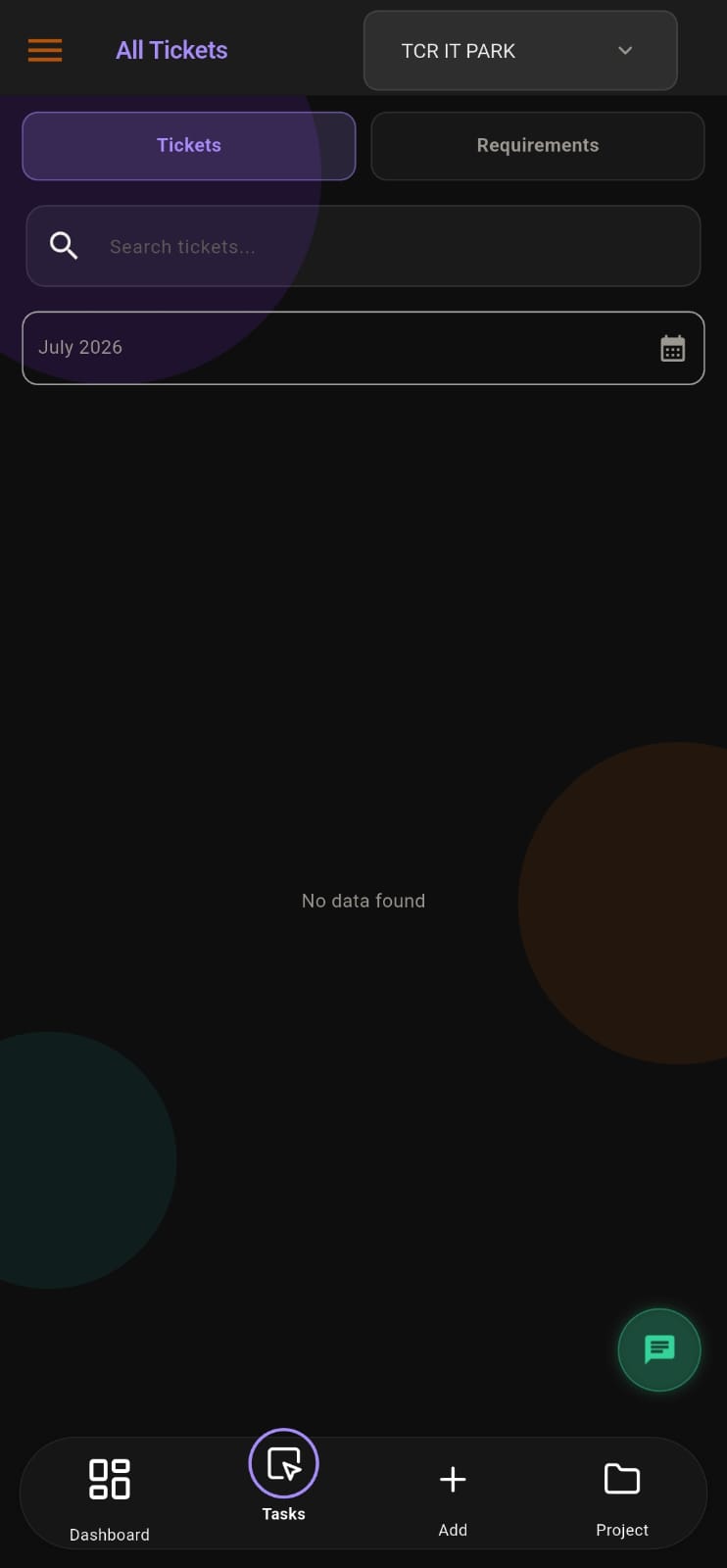
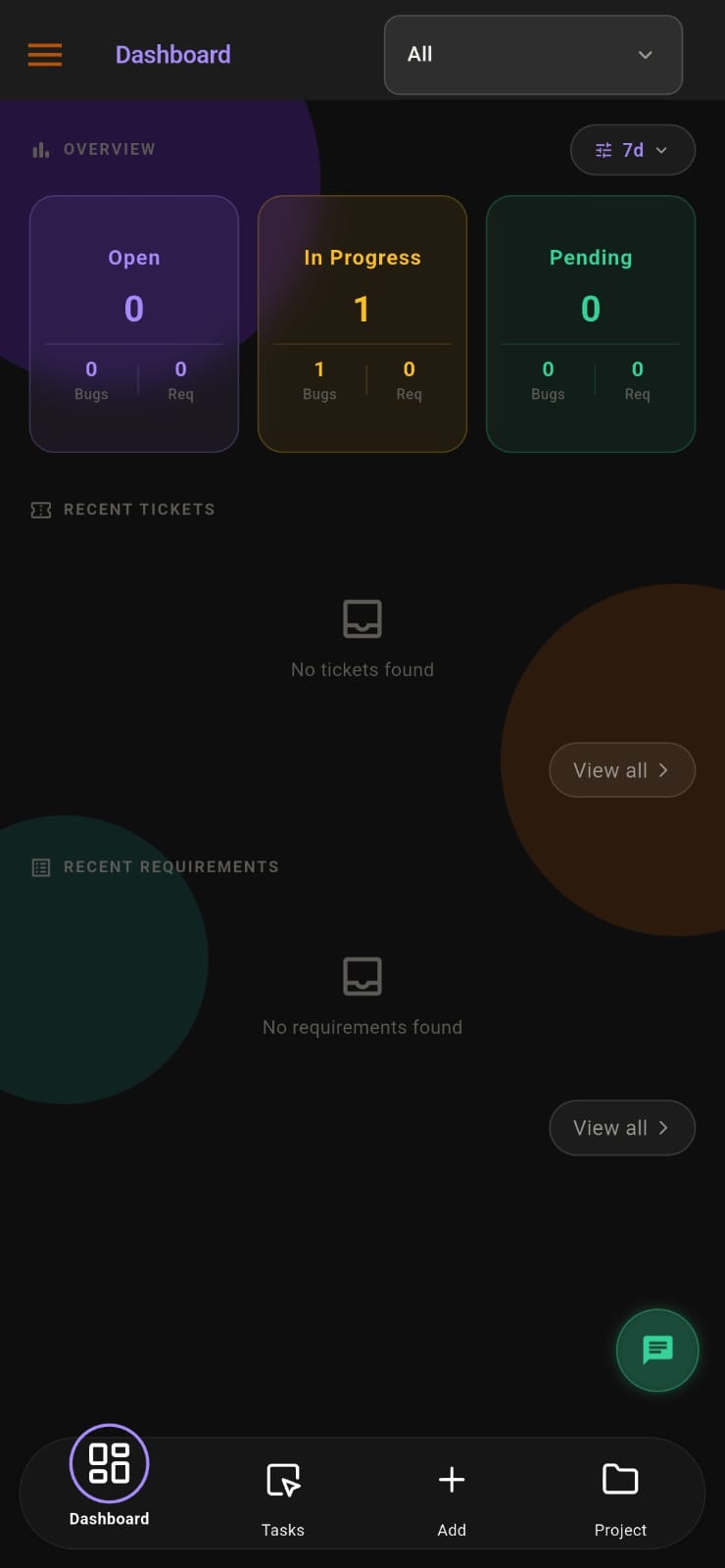
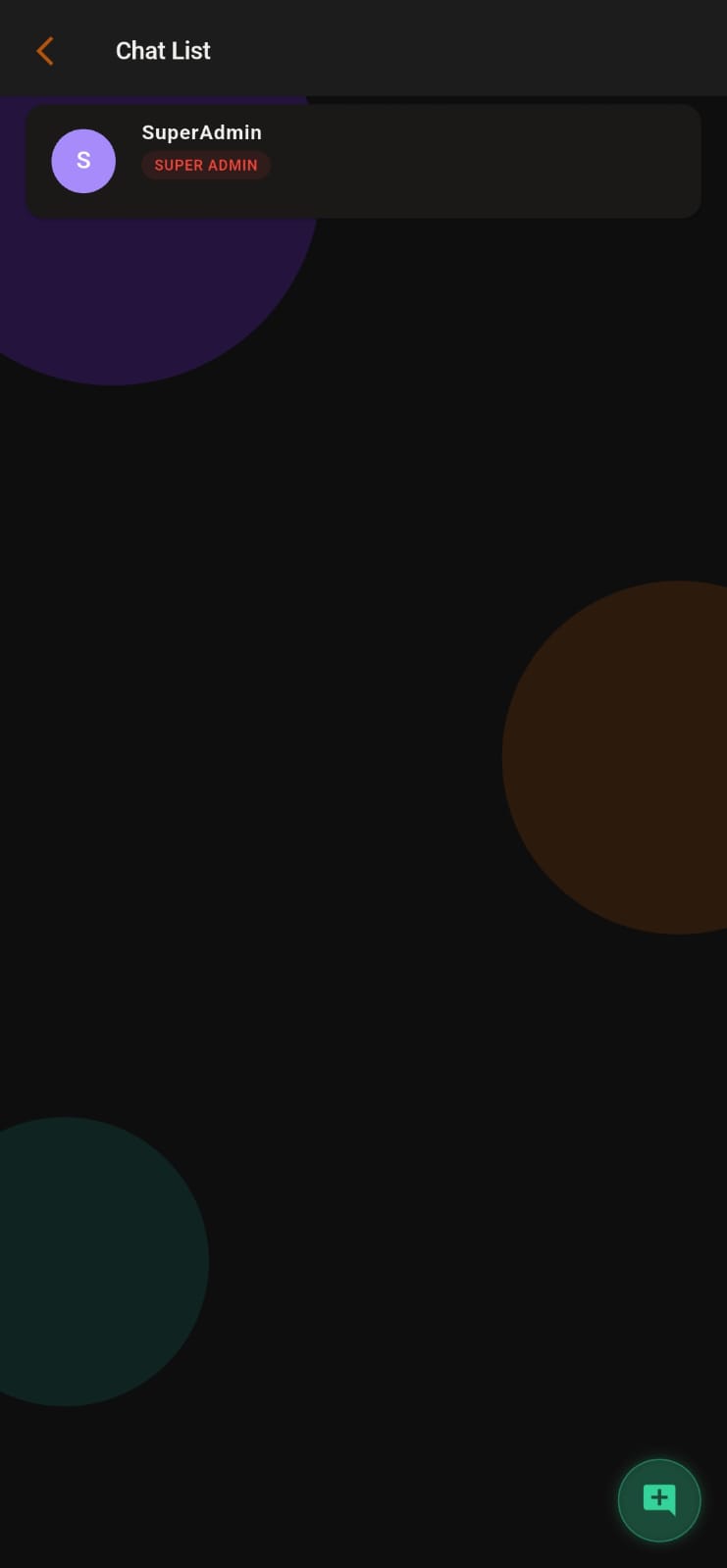
Screens from the APPEO NEXUS app.
ILLUSTRATIVE BUSINESS SCENARIO
Illustrative Business Scenario: An IT Support Firm Leaves Its Board Workspace
Illustrative example: a small IT support firm in Kerala tracks client jobs on a board-based workspace. Its engineers spend most of the day at client offices and send updates by WhatsApp, attendance runs in a separate punch-in app, and clients phone the office to ask whether their issue has been picked up.
During an APPEO NEXUS trial, each client gets a login to their own project and reports issues with screenshots. The office admin assigns them to engineers, who punch in at the client site, start the task and escalate jobs that need hardware. The admin verifies finished work, approves leave, and checks the daily logs instead of calling each engineer. The firm accepts that it loses custom dashboards and automations in exchange for one app covering both work and attendance. This is an illustrative example, not a customer story. No real company or result is described.
This is an illustrative example, not a customer story. No real company, person or result is described.
COMPARISON
APPEO NEXUS vs monday.com Work Management, Side by Side
monday.com details come from monday.com's official pricing page, checked on 21 October 2026, and its help-centre article on seats. Vendors change plans often, so confirm current details before you buy.
| APPEO NEXUS | monday.com Work Management |
|---|
| Main focus | Tasks, requirements and bugs, plus attendance, leave and a client role | Flexible boards for projects, clients and processes |
|---|
| Free option | No free plan; 15-day free trial with no credit card required | Free plan for up to 2 seats and up to 3 boards |
|---|
| How seats are bought | Per user licence, with a minimum of 25 licences on Starter or 15 on Growth | Paid plans start at 3 seats and rise in fixed bundles |
|---|
| Pricing currency | Indian rupees: Starter ₹500 per user per month billed annually | See monday.com's pricing page for current prices in your region |
|---|
| Workflow | Fixed, built-in statuses; no custom workflow designer and no Kanban boards | Configurable boards and views, with Timeline and Gantt views on Standard and above |
|---|
| Automations and integrations | Not offered | Monthly action limits that rise by plan, starting on Standard |
|---|
| External users | Client role limited to the client's own projects | Guest access on Standard and above |
|---|
| Attendance and leave | Mobile punch-in with photo and GPS, leave approvals and holidays included | Not listed on the work management pricing page |
|---|
| Mobile apps | Android only; no iOS app | iOS and Android |
|---|
WHAT APPEO NEXUS DOES NOT DO
monday.com Capabilities You Would Give Up by Switching
- No customisable boards, Kanban views, Gantt charts or dashboards you design yourself
- No automation rules and no integrations with other apps
- No recurring tasks, sprints, timesheets or invoicing
- No iOS app; iPhone users would need the web app
- No email notifications; alerts are push notifications only
- No AI features
SOURCES
Where the monday.com Facts on This Page Come From
- monday.com pricing page (monday.com/pricing), checked 21 October 2026: plan names, free plan seats and boards, the 3-user starting point, automation and integration limits, guest access, Gantt views and mobile apps
- monday.com help-centre article on seats: paid plans start at 3 seats and go up in steps of 5
- APPEO NEXUS details come from our own pricing page and the product itself
- Product names are trademarks of their owners; this page is not endorsed by monday.com
PLANS
APPEO NEXUS Licence Minimums Compared With monday.com Seat Bundles
- Starter: ₹500 per user per month billed annually (₹550 billed monthly), minimum 25 licences, up to 3 projects
- Growth: ₹900 billed annually (₹999 billed monthly), minimum 15 licences, up to 5 projects, and adds team chat, meetings, an approval workflow and advanced admin controls
- Enterprise: custom pricing
- Every plan has a 15-day free trial with no credit card required; register with a business email on your company's own domain, one trial per domain
- APPEO NEXUS is built and supported by Appeonix Creative Lab from Thrissur, Kerala
PLANS
Pricing and Free Trial
Starter: ₹500 per user per month billed annually (₹550 billed monthly), minimum 25 licences, up to 3 projects. Growth: ₹900 billed annually (₹999 billed monthly), minimum 15 licences, up to 5 projects, and adds team chat, meetings, an approval workflow and advanced administrative controls. Enterprise: custom pricing. Every plan is available with a 15-day free trial, and no credit card is required to start. See full pricing.
FAQ
Questions From Teams Comparing monday.com and APPEO NEXUS
Does monday.com sell seats in bundles rather than one person at a time?
According to monday.com's help centre, paid plans start at 3 seats and go up in fixed steps of 5. APPEO NEXUS licenses per user, but each plan has a minimum: 25 licences on Starter and 15 on Growth. Smaller teams should compare both against their real headcount.
Can our clients log in to APPEO NEXUS without seeing other clients' work?
Yes. Each project is linked to one client. A client user sees only their own projects, where they can report bugs, add requirements, export and reopen their own items, and view their meetings.
Will we lose our monday.com automations if we move to APPEO NEXUS?
Yes. APPEO NEXUS has no automation rules or integrations. It uses a fixed workflow with push notifications for events such as escalations. If automations save your team real time, keep that in mind before switching.
Is there an APPEO NEXUS app for team members who use iPhones?
No. There is an Android app called APPEO NEXUS on Google Play and a web app. There is no iOS app, so iPhone users would use the web app in a browser.
How is punch-in attendance different from time tracking in monday.com?
monday.com lists time tracking on its Pro plan, which measures time spent on items. APPEO NEXUS records attendance itself: staff punch in and out on Android with a photo, address and GPS location, and admins can export the records. It also records time on each task separately, against the estimate.
REQUEST A DEMO
See It With Your Own Workflow
Tell us which monday.com boards your team uses most and where attendance, leave and client requests live today. We will show you what the APPEO NEXUS equivalent looks like, and what it does not cover.
- A walkthrough based on how your team works today
- Plans, licence minimums and project limits explained
- Answers to setup and onboarding questions
Prefer to try it yourself? Start the 15-day free trial with your business email. No credit card required.
START WITH YOUR OWN TEAM
Run Client Requests and Attendance in One App for 15 Days.
Set up one client project and one field team on APPEO NEXUS, and compare it with your monday.com workspace before you decide. No credit card is required.
What happens next: choose a plan and licences, enter your company details, verify your business email, then sign in and set up your first project. No credit card is required for the trial, and each business domain can be used for one trial.