BITRIX24 ALTERNATIVE · HONEST COMPARISON
A Focused Bitrix24 Alternative for Client Issues, Daily Tasks and Staff Attendance
Bitrix24 is an all-in-one suite covering CRM, task management, worktime tracking, absence management and collaboration. It is sold as flat plans per organisation and priced in US dollars. Some Indian service businesses only use a small part of it. They need clients to raise bugs and requirements against their own projects, staff to punch in from a phone, leave to be approved, and work to move from assigned to verified. APPEO NEXUS covers only that narrower job. This page compares the two honestly, including where Bitrix24 does more and where it may cost you less.
15-day free trial for businesses. No credit card required. Register with a business email on your company's own domain; each domain can be used for one trial, and public addresses such as Gmail, Yahoo, Rediff, AOL, Outlook and Hotmail are not accepted. Trial details
THE PROBLEM
When a Bitrix24 Portal Feels Bigger Than the Work Your Team Actually Does
A Bitrix24 portal opens onto a wide set of tools: a CRM with deals and pipelines, a company feed, workgroups, drives, task views and HR functions. Teams that use all of that get a lot from one subscription. Many Indian IT support firms, software agencies and maintenance contractors use a far smaller slice. They need tasks, a way for clients to report problems and a record of who came to work.
In that situation, the size of the suite turns into a cost of its own. Admins switch off modules nobody asked for. New staff have to learn where things live. Client complaints still arrive by WhatsApp, because opening the portal to an outside customer feels like more set-up than the problem deserves. The tool is capable, but the team only uses the part it really needs.
WHY IT MATTERS
Signs Your Team Has Outgrown the Fit, Not the Features, of Bitrix24
- Most modules in the portal are hidden or ignored, but staff still have to find their way past them
- Clients report issues by phone or chat because nobody has set up outside access for them
- Attendance is collected in one place while client work is assigned somewhere else
- Managers ask for daily updates on calls instead of reading them in the tool
- Plan choices are driven by user caps per plan rather than by the features the team uses
- Field staff find the mobile experience heavy and send updates by message instead
If your team relies on Bitrix24's CRM, automation and planning views every day, APPEO NEXUS does not replace them and you should keep Bitrix24. The rest of this page is for teams whose daily work is mostly client issues and staff on the move.
HOW APPEO NEXUS HELPS
How a Client-Raised Issue Travels Through APPEO NEXUS Without a CRM in Between
APPEO NEXUS has no deals, pipelines or leads. A client's issue goes straight into their project and follows one fixed path.
- Client raises itThe client signs in, sees only the projects linked to them, and logs a bug or requirement with a priority and image or video attachments.
- Admin assigns itAn admin checks who has punched in and who is on approved leave, then assigns the item. High-priority requirements also get a deadline.
- Employee works itThe employee starts, pauses and resumes the task on Android or the web, adds remarks, and escalates with a reason if something blocks it.
- Admin verifies itOnce the employee completes it, an admin verifies the work. If the issue comes back, the client can reopen the bug with its history intact.
FEATURE WALKTHROUGH
What a Former Bitrix24 Admin Will Find in APPEO NEXUS
Each of these is in the product today. Alerts are push notifications on the app, not emails.
Per-project client login
- What it does
- Gives every client a login limited to the projects linked to them.
- Problem it addresses
- Outside customers either have no access to the work tool or need careful set-up so they do not see too much.
- How you use it
- Create the client, link their project, and share the login; they report bugs, add requirements, export their own items and view their meetings.
- Why it matters
- Client requests arrive as tracked work with an owner, and one client never sees another client's data.
Android punch-in with photo and GPS
- What it does
- Records punch-in and punch-out from the APPEO NEXUS Android app with a photo, address and GPS location, and lets admins export the records.
- Problem it addresses
- Attendance for staff who start the day at a client site rather than the office.
- How you use it
- Staff punch in from their phone when they arrive; admins review the list and export it when needed.
- Why it matters
- Who is working, and where they started, sits next to the jobs they have been given.
Leave types, approvals and holidays
- What it does
- Lets admins set leave types and company holidays, and approve or reject applications.
- Problem it addresses
- Urgent work handed to someone whose leave was approved somewhere else.
- How you use it
- Employees apply in the app; admins decide on the same system they use to assign work.
- Why it matters
- Availability is visible before a job is assigned, not after a client complains.
Daily logs
- What it does
- Employees write a short daily update that admins read in a single list.
- Problem it addresses
- End-of-day phone calls held only to ask what everyone did.
- How you use it
- Staff add a log before signing off; managers scan the list the next morning.
- Why it matters
- Progress is recorded without a feed full of unrelated posts.
Escalation with push alerts
- What it does
- Lets an employee mark a task as escalated with a reason, and sends a push notification to admins.
- Problem it addresses
- Blocked jobs that stay quiet until a deadline is missed.
- How you use it
- The employee taps escalate and types what is stopping them.
- Why it matters
- A decision-maker hears about the problem the same day.
Estimated against actual time
- What it does
- Records start, pause and resume on each task, compares the time taken with the estimate, and lists overtime tasks.
- Problem it addresses
- No view of which kinds of job regularly take longer than planned.
- How you use it
- Set an estimate when assigning; time is recorded while the task is running.
- Why it matters
- You can see where effort goes. Note that this is not a timesheet and cannot be used for billing.
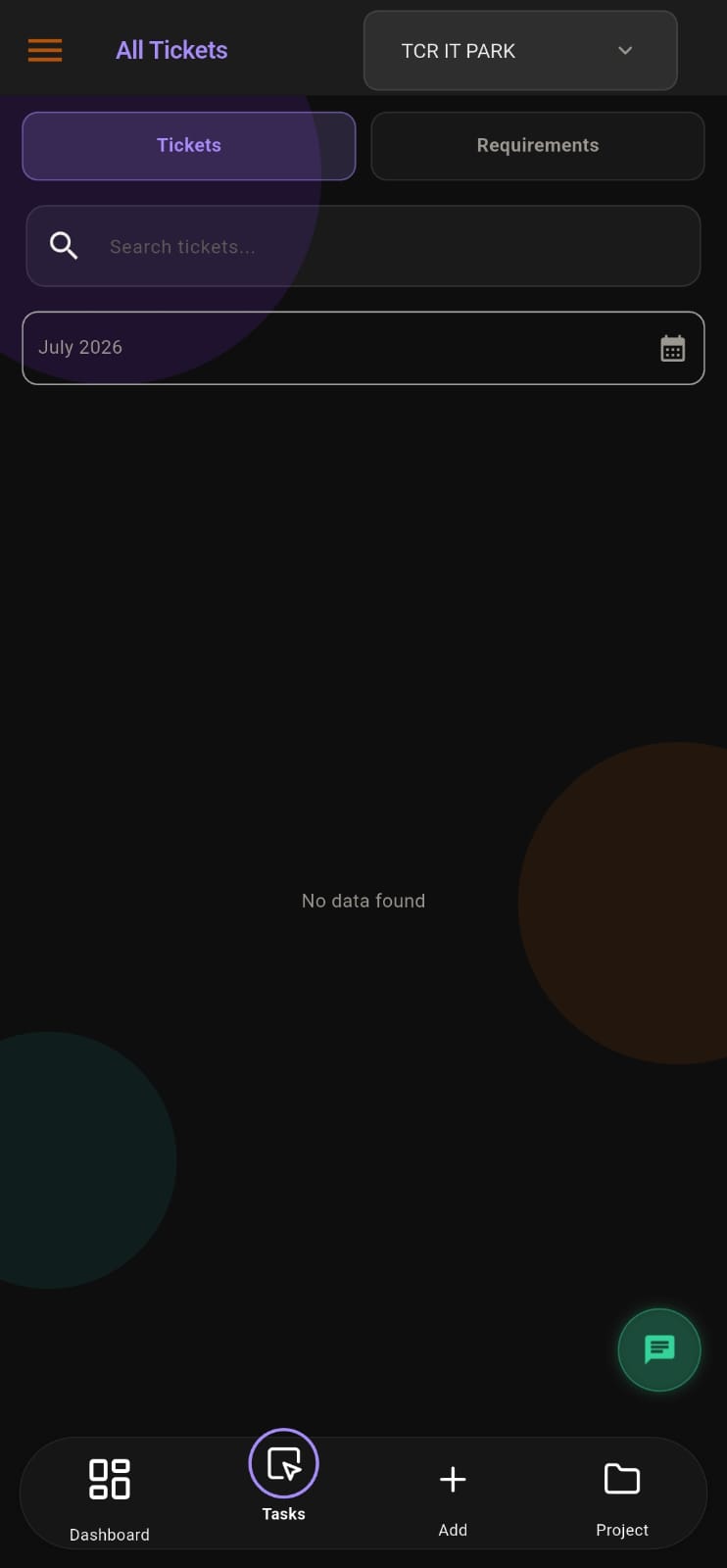
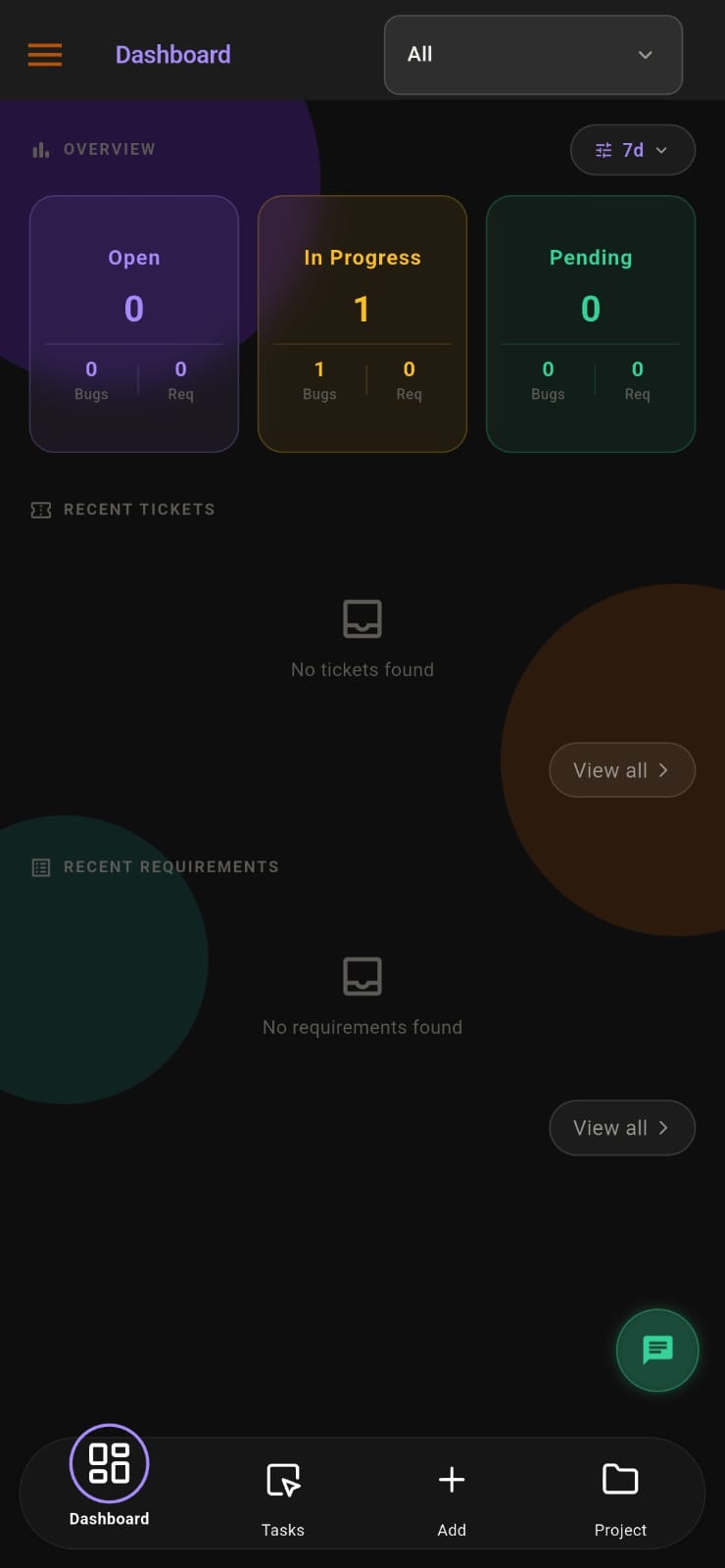
Screens from the APPEO NEXUS app.
ILLUSTRATIVE BUSINESS SCENARIO
Illustrative Business Scenario: A Thrissur Maintenance Contractor Narrows Its Toolset
Illustrative example: a building-maintenance contractor signs up for a Bitrix24 portal to manage jobs. Over time it finds that it only uses tasks. The CRM sits empty because work comes from a fixed set of client buildings. Clients still phone the office manager with complaints, and technicians sign a paper register before leaving for site.
During a 15-day APPEO NEXUS trial, each client building gets a login to its own project and reports faults with photos. Technicians punch in on Android when they reach a site, start the job, and escalate it when a spare part is needed. The office manager approves leave, reads daily logs and verifies finished jobs. The contractor accepts that APPEO NEXUS has no Gantt charts and no CRM, and it notes that APPEO NEXUS's minimum licence count will cost more than its small Bitrix24 plan did. It then decides whether one app for jobs and attendance is worth that difference. This is an illustrative example, not a customer story. No real company, person or result is described.
This is an illustrative example, not a customer story. No real company, person or result is described.
COMPARISON
APPEO NEXUS and Bitrix24 Compared on Pricing Model, Scope and Mobile Use
Bitrix24 details come from its official pricing page at bitrix24.com/prices, checked on 24 October 2026. Where that page did not make a per-plan detail clear, we mark it as unconfirmed. Vendors change plans often, so check before you buy.
| APPEO NEXUS | Bitrix24 |
|---|
| Scope | Tasks, client bugs and requirements, attendance, leave and daily logs | All-in-one suite: CRM, tasks, collaboration, HR and more |
|---|
| How it is priced | Per user in Indian rupees; Starter ₹500 per user per month billed annually, minimum 25 licences | Flat price per organisation in US dollars, with a user cap on each plan |
|---|
| Entry options | No free plan; 15-day free trial with no credit card | Free plan for 1–2 users; Basic covers 5 users at US$49 a month billed annually; Standard covers 50 users at US$99 a month billed annually |
|---|
| Task views | Fixed built-in statuses; no Kanban boards or Gantt charts | Several task views, including Gantt, listed on the Free plan |
|---|
| CRM | None | Basic CRM on Free, with more sales features on higher plans |
|---|
| Automation (APPEO NEXUS has none) | None; no automation rules or integrations | Listed from the Professional plan; not shown on Free, Basic or Standard |
|---|
| Attendance and absence | Android punch-in with photo, address and GPS; leave approvals and holidays | Worktime tracking and absence management listed; which plans include them was unclear on the page |
|---|
| Client access | Client role limited to that client's own projects, on every plan | External users mentioned on product pages; per-plan availability unconfirmed |
|---|
| Mobile | Android app and web app; no iOS app | Per-plan mobile details not confirmed on the pricing page |
|---|
COST REALITY
Why APPEO NEXUS Can Cost More Than Bitrix24 for a Small Team
- Bitrix24 charges a flat fee per organisation, so a small team on Basic or Standard pays the same however many of the included users it adds
- APPEO NEXUS charges per user with minimums: Starter needs at least 25 licences at ₹500 per user per month billed annually (₹550 billed monthly), and Growth needs at least 15 at ₹900 billed annually (₹999 billed monthly)
- A team of five or ten people will therefore pay for more APPEO NEXUS licences than it has staff, and may find a Bitrix24 plan cheaper
- Starter allows up to 3 projects and Growth up to 5; team chat, meetings and the approval workflow need Growth; Enterprise pricing is custom
- Compare both against your real headcount and project count, not against list prices alone
WHEN BITRIX24 FITS BETTER
Keep Bitrix24 If Your Business Relies on Its Wider Suite
- Your sales team works deals, leads and pipelines in the Bitrix24 CRM, which APPEO NEXUS does not have
- You plan longer projects with Gantt charts or Kanban boards, neither of which APPEO NEXUS offers
- You depend on automation or connect Bitrix24 to other software; APPEO NEXUS has no automation rules and no integrations
- You have only one or two users and the free plan meets your needs
- Some of your staff use iPhones and need a native app, which APPEO NEXUS does not offer
WHAT APPEO NEXUS DOES NOT DO
Gaps You Would Accept by Leaving Bitrix24
- No CRM, deals, leads or sales pipelines
- No Kanban boards, Gantt charts, sprints or recurring tasks
- No automation rules, AI features or integrations with other software
- No timesheets or invoicing; only estimated against actual time per task
- No iOS app, so photo and GPS punch-in is available only on Android
- No email notifications; alerts are push notifications only
SOURCES
Where the Bitrix24 Details on This Page Come From
- Bitrix24 official pricing page (bitrix24.com/prices), checked 24 October 2026: plan names, flat per-organisation USD pricing, user caps, task views, CRM tiers, Professional-plan features, worktime and absence rows
- APPEO NEXUS details come from our own pricing page and the product itself
- APPEO NEXUS is built and supported by Appeonix Creative Lab from Thrissur, Kerala and Indiranagar, Bengaluru, on Indian Standard Time
- Bitrix24 is a trademark of its owner; this page is not endorsed by Bitrix24
PLANS
Pricing and Free Trial
Starter: ₹500 per user per month billed annually (₹550 billed monthly), minimum 25 licences, up to 3 projects. Growth: ₹900 billed annually (₹999 billed monthly), minimum 15 licences, up to 5 projects, and adds team chat, meetings, an approval workflow and advanced administrative controls. Enterprise: custom pricing. Every plan is available with a 15-day free trial, and no credit card is required to start. See full pricing.
FAQ
Questions From Teams Weighing Bitrix24 Against APPEO NEXUS
Is Bitrix24 priced per user like APPEO NEXUS?
No. According to its official pricing page, Bitrix24 charges a flat monthly price per organisation in US dollars, and each plan includes a set number of users. APPEO NEXUS charges per user in rupees, with a minimum of 25 licences on Starter and 15 on Growth.
Can APPEO NEXUS replace the Bitrix24 CRM for our sales team?
No. APPEO NEXUS has no CRM, leads, deals or pipelines. It handles client bugs and requirements on existing projects, not sales. If you sell through Bitrix24's CRM, you would need to keep a separate tool for that.
We use Bitrix24 worktime tracking. How is APPEO NEXUS attendance different?
In APPEO NEXUS, employees punch in and out on the Android app, which records a photo, the address and the GPS location. Admins can export those records and see them next to leave and holidays. We could not confirm from Bitrix24's pricing page which plans include its worktime features, so check that with Bitrix24 directly.
What happens to our visual planning views if we move from Bitrix24?
You would lose them. APPEO NEXUS uses fixed statuses such as assigned, in progress, on hold, escalated, completed and verified. It has no Kanban boards and no Gantt charts. Teams that plan visually should weigh that before switching.
Can we trial APPEO NEXUS with a personal email address?
No. The 15-day trial needs a business email on your company's own domain, and each domain gets one trial. Public addresses such as Gmail, Yahoo, Rediff, Outlook, Zoho and Proton are not accepted. No credit card is required.
REQUEST A DEMO
See It With Your Own Workflow
Tell us which Bitrix24 modules your team actually opens each day, how clients report issues and how you record attendance. We will show you the APPEO NEXUS equivalent, and be clear about what it does not cover.
- A walkthrough based on how your team works today
- Plans, licence minimums and project limits explained
- Answers to setup and onboarding questions
Prefer to try it yourself? Start the 15-day free trial with your business email. No credit card required.
START WITH YOUR OWN TEAM
Try a Narrower Tool for 15 Days Before You Decide.
Set up one client project and one field team on APPEO NEXUS, with no credit card, and compare it with your Bitrix24 portal on the work you really do.
What happens next: choose a plan and licences, enter your company details, verify your business email, then sign in and set up your first project. No credit card is required for the trial, and each business domain can be used for one trial.