WRIKE ALTERNATIVE · CLIENT LOGINS · HONEST COMPARISON
A Wrike Alternative Where Clients Raise Their Own Bugs and Staff Punch In on Android
Wrike is a broad work management platform with boards, Gantt charts, dashboards and automation. APPEO NEXUS does a narrower job. Your clients log in to their own projects to report bugs and add requirements. Your staff punch in on Android with a photo and GPS location, apply for leave and post daily logs, all in the same app. This page compares the two using Wrike's official pricing page and is clear about what APPEO NEXUS does not have.
15-day free trial for businesses. No credit card required. Register with a business email on your company's own domain; each domain can be used for one trial, and public addresses such as Gmail, Yahoo, Rediff, AOL, Outlook and Hotmail are not accepted. Trial details
THE PROBLEM
Why Client-Facing Service Teams Question Their Wrike Setup
Wrike is designed for planning: projects broken into tasks, laid out on boards, Gantt timelines and dashboards. That suits teams that plan long programmes of work. Many Indian service firms spend their day differently, reacting to what clients report. Software agencies, IT support companies, website maintenance teams and facilities contractors all work this way.
For these firms the client is part of the workflow. Wrike's pricing page says full users, including external users, need a paid seat, and only viewers can be added free. A client who just wants to raise a fault and see whether it is fixed either takes up a paid seat or stays outside the tool. In practice that means faults still arrive by phone, email or WhatsApp, and someone retypes them.
The second gap is people. Wrike's pricing page does not list attendance, punch-in or leave approvals. Managers who assign urgent client fixes also need to know who is at work today, so attendance often ends up in a separate app or on a paper register.
WHY IT MATTERS
What Paying for Client Seats and Separate HR Tools Does to a Service Firm
- Clients who would only report issues and check their status take paid seats, or stay outside the tool altogether
- An account manager rewrites client messages as tasks before any developer or technician sees them
- Bugs and new feature requests get mixed into one list, so fixed-fee scope is hard to protect
- Urgent work is assigned to someone who turns out to be on leave or has not arrived
- Field staff skip updating a planning tool on their phone and send voice notes instead
- Dollar-priced seats for planning features the team rarely opens
If your team plans complex projects on Gantt charts and boards, Wrike covers that and APPEO NEXUS does not. If you mainly handle what clients report and also need to manage your people, read on.
HOW APPEO NEXUS HELPS
From Client Report to Verified Fix in APPEO NEXUS
You do not design a workflow. Admins set up clients, projects, departments and staff, and every item then follows the same built-in path.
- Client raises itThe client signs in, sees only the projects linked to them, and reports a bug or adds a requirement with a priority and image or video attachments.
- Admin assigns with attendance in viewAn admin checks who has punched in and who has approved leave, then assigns the item. High-priority requirements get a deadline and an estimated time.
- Employee works, pauses or escalatesThe employee starts, pauses and resumes the task and adds remarks. If they are blocked, they escalate with a reason and admins get a push notification.
- Admin verifies, client can reopenThe employee completes the work and an admin verifies it. If the fault returns, the client reopens the bug and its history is kept.
FEATURE WALKTHROUGH
APPEO NEXUS Features That Replace Wrike Seats for Clients
Everything listed here is in the product today. Alerts are push notifications in the app. APPEO NEXUS does not send email notifications.
Client role scoped to one company's projects
- What it does
- Each project is linked to one client, and that client's login shows only their own projects, items and meetings.
- Problem it addresses
- Clients kept outside the work tool because each extra collaborator needs a seat, so their requests arrive by chat.
- How you use it
- Link the project to the client and share the login. The client raises, edits, exports and reopens their own items, and can chat with admins and assigned staff on mobile.
- Why it matters
- Client requests start inside the same record your team works from, without being retyped.
Separate bugs and requirements
- What it does
- Faults and change requests are kept in separate lists, each with priorities, attachments, history and search.
- Problem it addresses
- Faults and new scope landing in one queue.
- How you use it
- The client chooses the item type when raising it, and admins sort each list by priority.
- Why it matters
- You can see what is broken separately from what is extra work, which matters on fixed-fee contracts.
Android punch-in with photo, address and GPS
- What it does
- Records attendance from the Android app with a photo, the address and the GPS location. Records can be exported.
- Problem it addresses
- Attendance kept on paper or in a different app from task assignment.
- How you use it
- Staff punch in and out on their phones, and admins review or export the records.
- Why it matters
- You know who is actually available before you promise a client a fix.
Leave, holidays and daily logs
- What it does
- Covers leave types, applications, approval or rejection, company holidays and a short daily log from each employee.
- Problem it addresses
- Leave agreed over chat while deadlines are set elsewhere.
- How you use it
- Employees apply for leave and write logs in the app. Admins approve leave and read logs in one list.
- Why it matters
- Deadlines are set with real availability in view, and status calls get shorter.
Escalation with a stated reason
- What it does
- Lets an employee mark a task as escalated and explain why. Every admin receives a push notification.
- Problem it addresses
- A blocker buried in a comment thread that no decision-maker reads in time.
- How you use it
- The employee taps escalate and types the reason.
- Why it matters
- Someone who can act hears about the problem before the client chases it.
Estimated versus actual time per task
- What it does
- Records start, pause and resume, compares actual time with the estimate and lists overtime tasks.
- Problem it addresses
- No view of which client jobs regularly run longer than planned.
- How you use it
- Admins set an estimate when assigning, and time is recorded while the task runs.
- Why it matters
- You can see where effort goes. This is not a timesheet and it does not produce invoices.
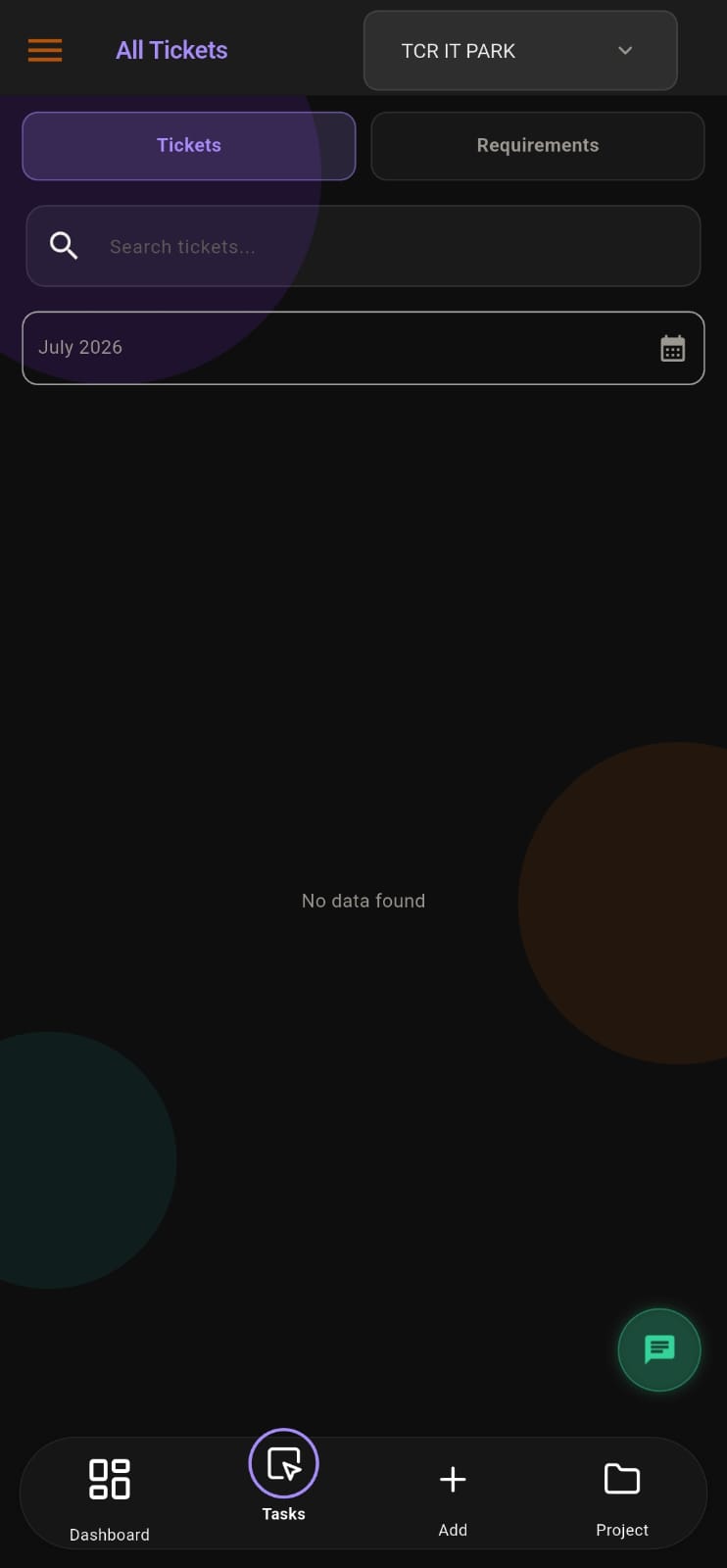
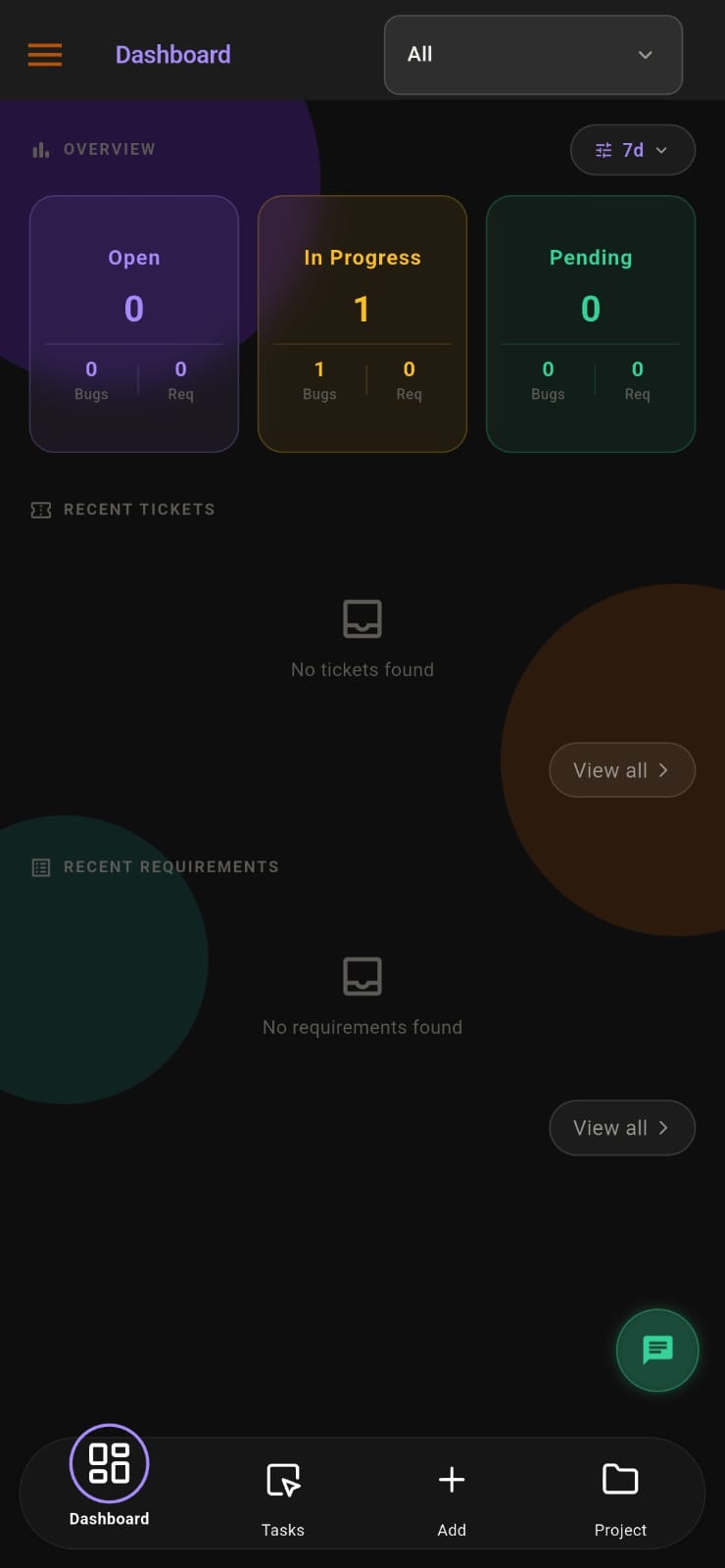
Screens from the APPEO NEXUS app.
ILLUSTRATIVE BUSINESS SCENARIO
Illustrative Business Scenario: A Software Support Agency Moves Client Faults Out of Wrike
Illustrative example: a software agency in Kerala maintains web applications for business clients on annual support contracts. Its developers plan internal work in a general-purpose work management tool, but clients do not have seats, so faults arrive by email and WhatsApp. A project coordinator copies each one into a task. Attendance is a paper register, and leave is approved in a chat group.
During an APPEO NEXUS trial, each client gets a login to their own project. Clients log faults as bugs and enhancement requests as requirements, with screenshots attached. The admin assigns work after checking punch-ins and approved leave. Developers escalate jobs that need server access from the client, and the admin verifies each fix before it closes. The agency also notes the gaps: APPEO NEXUS has no Gantt planning, no board views and no iOS app, so it weighs those missing features against its contracts. This is an illustrative example, not a customer story. No real company, person or result is described.
This is an illustrative example, not a customer story. No real company, person or result is described.
COMPARISON
APPEO NEXUS and Wrike Compared for Client Support Work
Wrike details come from Wrike's official pricing page, checked on 25 October 2026. Where the page does not mention something, we say so rather than guess. Confirm current details with Wrike before you decide.
| APPEO NEXUS | Wrike |
|---|
| Main focus | Client bugs, requirements and tasks, plus attendance, leave and daily logs | Project and work management with boards, Gantt charts and dashboards |
|---|
| Free option | No free plan; 15-day free trial on every plan, no credit card required | Free plan at $0 |
|---|
| Entry paid plan | Starter: ₹500 per user per month billed annually (₹550 monthly), minimum 25 licences, up to 3 projects | Team: $10 per user per month billed annually, for 2 to 15 users |
|---|
| Next plan | Growth: ₹900 billed annually (₹999 monthly), minimum 15 licences, up to 5 projects | Business: $25 per user per month billed annually, for 5 to 200 users; Pinnacle and Apex priced on request |
|---|
| Clients and external people | Client role included; clients see only their own projects | Full external users need a paid seat; viewers can be added free |
|---|
| Views and planning | Fixed lists and statuses; no Kanban board or Gantt chart | Board and table views on Free; interactive Gantt charts from Team |
|---|
| Automation | No automation rules or integrations | Automation features listed on Team and above; integrations from Business |
|---|
| Mobile apps | Android app and web app; no iOS app | Native mobile apps on both major phone platforms, plus desktop apps |
|---|
| Attendance and leave | Android punch-in with photo, address and GPS; leave types, approvals and holidays | Not listed on the pricing page |
|---|
WHAT APPEO NEXUS DOES NOT DO
Wrike Features You Would Not Have in APPEO NEXUS
- No Kanban or board views, no Gantt charts and no dashboards you design yourself
- No automation rules, integrations, recurring tasks, sprints or AI features
- No timesheets, budgeting or invoicing
- No iOS app; iPhone users work in the web app and cannot use photo and GPS punch-in
- No email notifications; alerts are push notifications only
- Starter needs at least 25 licences and Growth at least 15, so small teams pay for the minimum
- Team chat, meetings and the approval workflow require the Growth plan or above
WHEN WRIKE FITS BETTER
Keep Wrike If Your Work Is Planned on Timelines
- You plan multi-phase projects on Gantt charts and track dependencies
- Your teams use boards and custom dashboards every day
- You rely on automations or connections to other business software
- Part of your team uses iPhones, and APPEO NEXUS has no iOS app
- You are a very small team and Wrike's free plan or Team plan covers you
SUPPORT AND DELIVERY
Who Builds and Supports APPEO NEXUS
- APPEO NEXUS is built and supported by Appeonix Creative Lab, which has been working since 2014, from Thrissur, Kerala and Indiranagar, Bengaluru
- Support works in Indian Standard Time (UTC+5:30); contact support@appeonix.com or +91 95679 99007
- Prices are in Indian rupees and licensed per user, with the minimums shown above
- Product names are trademarks of their owners; this page is not endorsed by Wrike
PLANS
Pricing and Free Trial
Starter: ₹500 per user per month billed annually (₹550 billed monthly), minimum 25 licences, up to 3 projects. Growth: ₹900 billed annually (₹999 billed monthly), minimum 15 licences, up to 5 projects, and adds team chat, meetings, an approval workflow and advanced administrative controls. Enterprise: custom pricing. Every plan is available with a 15-day free trial, and no credit card is required to start. See full pricing.
FAQ
Questions Teams Ask Before Switching From Wrike
Do our clients need paid licences to report bugs in APPEO NEXUS?
Clients use the built-in client role, which shows them only the projects linked to their company. Check the pricing page or ask us how client users count towards your plan. On Wrike, the pricing page says full external users need a paid seat and only viewers are free.
Can we keep a Gantt timeline for our client projects in APPEO NEXUS?
No. APPEO NEXUS has no Gantt charts, board views or timeline planning. High-priority requirements carry deadlines and estimated times, and tasks record actual time. If timeline planning is central to your work, Wrike is the better fit.
Will our Wrike tasks and folders transfer into APPEO NEXUS?
No. There is no import tool or integration. Most teams set up their active clients and projects during the 15-day trial and keep the old workspace for archived work until they decide.
Can site technicians record attendance from the job location?
Yes, if they use Android. Staff punch in and out in the APPEO NEXUS Android app, and each record includes a photo, the address and the GPS location. Admins can export the records. There is no iOS app, so iPhone users work in the web app and cannot use photo and GPS punch-in.
How do we trial APPEO NEXUS alongside Wrike?
Register with a business email on your company's own domain for a 15-day trial on any plan, with no credit card required. Each domain can be used for one trial, and public email addresses are not accepted. Run one client project in APPEO NEXUS while the rest stays in Wrike.
REQUEST A DEMO
See It With Your Own Workflow
Tell us which Wrike features your team uses, how clients send you issues today and how you track attendance. We will show you the APPEO NEXUS equivalent and tell you plainly what it does not replace.
- A walkthrough based on how your team works today
- Plans, licence minimums and project limits explained
- Answers to setup and onboarding questions
Prefer to try it yourself? Start the 15-day free trial with your business email. No credit card required.
START WITH YOUR OWN TEAM
Give One Client a Login Instead of a Seat.
Set up one client project and one team on APPEO NEXUS for 15 days, with clients' bug reports, staff punch-ins and leave in one place. Compare it fairly with your Wrike workspace before you decide. No credit card is required.
What happens next: choose a plan and licences, enter your company details, verify your business email, then sign in and set up your first project. No credit card is required for the trial, and each business domain can be used for one trial.